
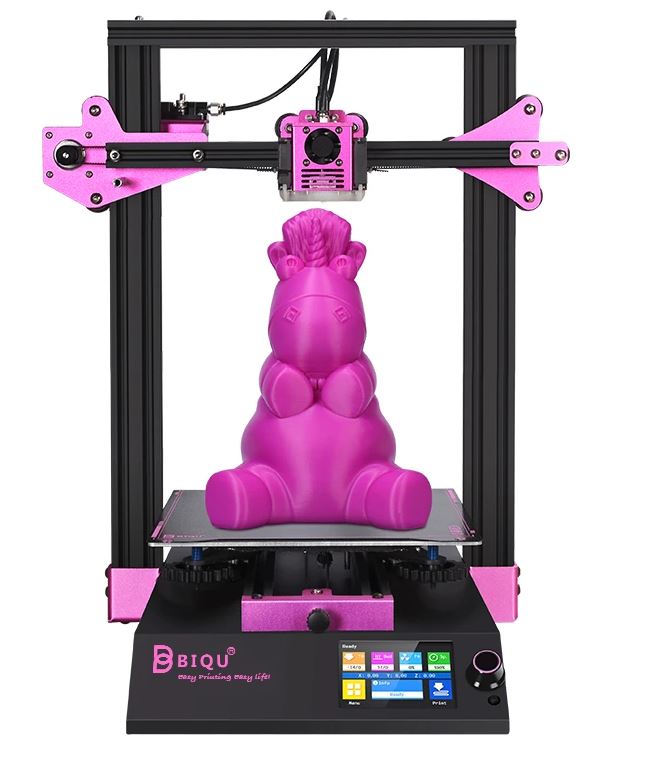
BIQU has just launched its latest desktop extruder-based 3D printer, the BIQU B1, for consumers, with a price below $300. With the aim of releasing an upgraded 3D printer, the B1, so that consumers no longer have to keep purchasing updates, BIQU is looking to make desktop 3D printing more user-friendly, more material and energy efficient, and sustainable.
Understanding Filament Properties
Image Courtesy of BIQU
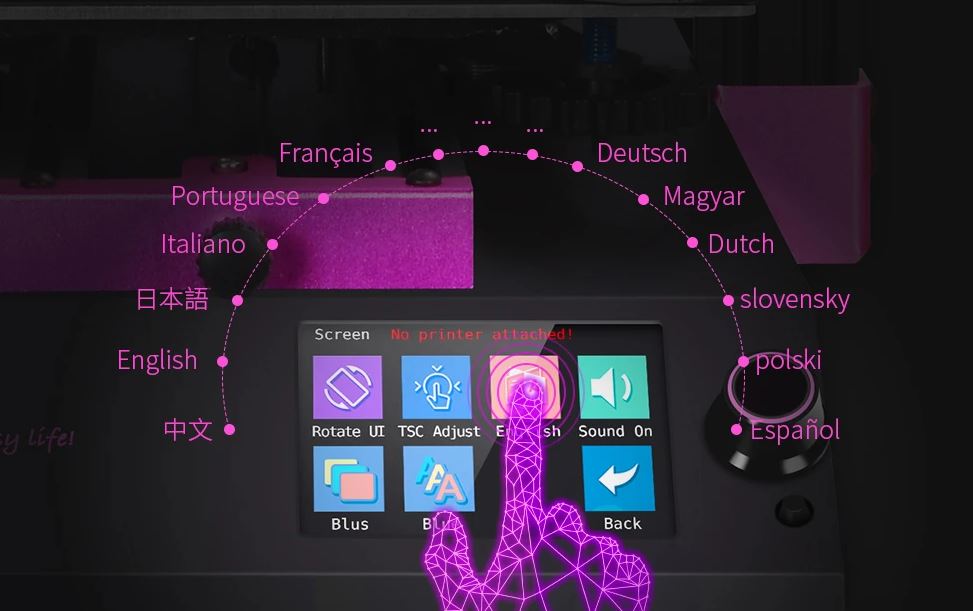
The company has introduced a range of features to improve its touchscreen user interface, including a dual operating system, switchable with just a click. It also allows for operation in 15 languages, provides 4-color RGB color on the extruder and 8 on the encoder (easily changeable via the touchscreen), and a cool, fluorescent light so that printing status can be viewed even in the dark.
Material Comparison and Selection
Image Courtesy of BIQU
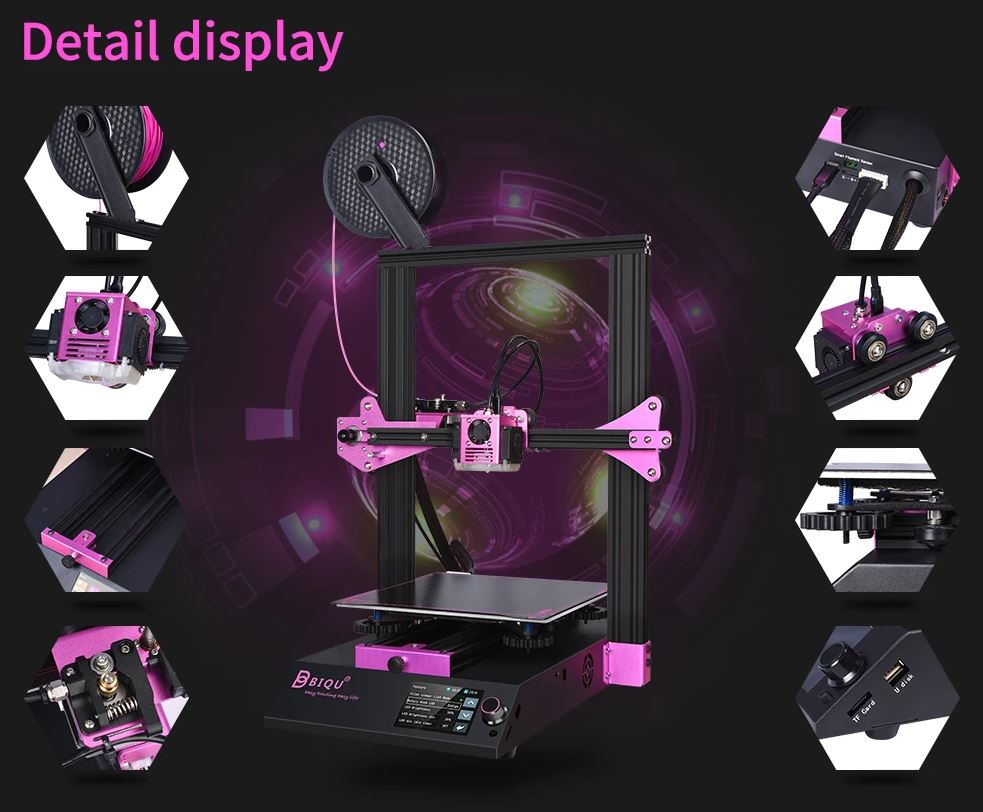
Image Courtesy of BIQU
To improve the energy and material efficiency, the printer has a filament exhaustion detection module, which immediately and automatically switches off the power when filament is found to have run out. In addition, it also has a recovery printing module, which will resume the print as and when power is reconnected. Going one step further, there is also a detection system for if the filament breaks while printing, upon which the printer automatically stops the build, saving material and power by pausing a defective print the moment it is encountered. While some issues may occur with the filament sensor, the part can be easily replaced or switched off to ensure quality prints.
Print Settings and Optimization
What also differentiates the BIQU printer, from others such as an MK3 or the Creality CR-10, is the low level of noise, or relative silence, it operates in—producing just 42.8 dB of sound when printing (although perhaps the cooling fan does add to the sound level). The printer is compatible with several slicing software solutions, though not entirely open source, such as Simplify3D, Cura or Repetier-Host. In terms of usable materials, it has a maximum printing temperature of 275 degrees celsius, and can print using PLA, ABS, PETG, flexible, and wood-based filaments.
Earlier, BIQU had released the BIQU Thunder, and in collaboration with MyMiniFactory, enabled it for Click & Print, making the technology more accessible to customers on the MyMiniFactory platform and becoming one of the first 3D printers integrated into the UK-based company’s smartphone app solution. See also: Best Budget 3D Printer Upgrades That Actually Impr…. Although the violet-colored, aluminum chassis BIQU B1 has a smaller build volume (270mm x 235mm x 235mm) and requires manual leveling, it is a over a hundred dollars cheaper (at $267) than the BIQU Thunder (at $379), and its print quality is claimed to rival that of a Prusa.
Strength and Durability Testing
Image Courtesy of BIQU
The BIQU range of 3D printers, scanners, and accessories are made by Chinese manufacturer and exporter (exports over 70% of production – Shenzhen Bigtree Technology Co. Ltd – which, since 2015, has produced 3D printer products such as the BIQU Magician, Thunder, and now the B1.
The post BIQU Launches Violet-Colored ‘B1’ Desktop 3D Printer for Under $300 appeared first on 3DPrint.com | The Voice of 3D Printing / Additive Manufacturing.
from Your daily news from 3DPrint.com https://bit.ly/3g8XBya
Frequently Asked Questions
What is the best 3D printing filament for beginners?
PLA is the best starting filament — it prints easily at 190-220°C without an enclosure and produces good results. Once comfortable, PETG offers better strength and temperature resistance for functional parts.
How do I choose the right filament?
Consider the application: PLA for display models, PETG for functional parts, ABS/ASA for heat/sunlight exposure, TPU for flexible parts, and specialty filaments for engineering applications. Each has specific printer requirements.
What temperature should I print different filaments at?
PLA: 190-220°C nozzle / 50-60°C bed. PETG: 220-250°C / 70-80°C. ABS: 230-260°C / 100-110°C (enclosure needed). Nylon: 240-270°C / 70-90°C. Always check manufacturer recommendations for specific brands.
📌 Related Articles
- Best 3D Printer Upgrades That Actually Improve Print Quality: Complete 2026 Guide
- Best Budget 3D Printer Upgrades That Actually Improve Print Quality: Belts, Springs, Hotends & More
- 3D Printing Tungsten Carbide: How Hot-Wire Laser Technology Creates Metal Harder Than Steel
- ABS 3D Printing Settings Guide: Temperature, Enclosure, and Cooling for Strong Parts
- Creality Creality Ender 3 V3 Plus vs Creality Ender 3 Pro: Full Specs Comparison & Buyer’s Guide