
Disclosure: As an Amazon Associate, 3dput.com earns from qualifying purchases. This supports our independent testing and reviews.
Introduction: Why ABS Requires Special Attention
ABS (Acrylonitrile Butadiene Styrene) is one of the most popular 3D printing filaments for good reason. It offers excellent mechanical strength, heat resistance, and durability that makes it ideal for functional parts, automotive components, and engineering prototypes. However, ABS is also one of the more challenging materials to print with successfully. It requires precise temperature control, a stable heated environment, and proper ventilation to achieve high-quality results.
Unlike PLA, which prints well on open-frame printers with minimal environmental control, ABS demands a more sophisticated approach. The material is prone to warping, layer separation, and failed prints if conditions aren’t right. This guide will walk you through everything you need to know to successfully print ABS, from optimal temperature settings to essential equipment upgrades and troubleshooting common issues.
Whether you’re a beginner looking to expand beyond PLA or an experienced printer seeking better ABS results, this guide covers the complete setup, settings, and best practices for professional-quality ABS prints.
Understanding ABS Printing Challenges
Before diving into settings and equipment, it’s important to understand why ABS is more challenging than other filaments. ABS is a semi-crystalline thermoplastic that undergoes significant shrinkage during cooling – typically 0.3% to 0.5%. This thermal contraction causes several printing issues that you won’t encounter with PLA or PETG.
Warping and Curling
Warping occurs when different parts of your print cool at different rates, causing the bottom corners to lift off the build plate. This is the most common ABS printing issue and results in prints with concave bottoms, failed adhesion, and complete detachment from the build plate. The problem is exacerbated by drafts, rapid temperature changes, and insufficient bed heating.
Layer Separation
ABS layers need sufficient heat to fuse together properly. If the ambient temperature is too low or cooling is too aggressive, layers won’t bond adequately, resulting in weak prints that can delaminate under stress. This is particularly problematic for tall prints and those with thin walls.
Stringing and Oozing
ABS has a higher melting point and viscosity than PLA, which can lead to stringing during travel moves. Finding the right balance between retraction settings and temperature is crucial for clean prints with minimal post-processing.
Fume Emissions
ABS emits styrene and other volatile organic compounds (VOCs) when heated, requiring proper ventilation for safe printing. This is not just a nuisance – prolonged exposure to these fumes without adequate ventilation can pose health risks.
Essential Equipment for ABS Printing
To print ABS successfully, you’ll need several pieces of equipment beyond what’s typically required for PLA. Investing in the right tools upfront will save you countless hours of frustration and failed prints.
Heated Build Plates
A heated build plate is absolutely essential for ABS printing. The bed must maintain a consistent temperature of 100-110°C to ensure proper first layer adhesion and prevent warping. Standard build plates may struggle to maintain this temperature, especially during long prints or in drafty environments.
For best results, consider upgrading to a high-wattage heated bed upgrade. These beds provide faster heating, more uniform temperature distribution, and better heat retention during printing. Look for beds with at least 24V power and 300W capacity for reliable ABS printing.
Bed Surfaces for ABS
ABS adheres best to certain bed surfaces when combined with adhesion aids. Here are the top options:
PEI Sheets: PEI (Polyetherimide) build sheets offer excellent adhesion for ABS without the need for adhesives. The smooth PEI surface releases prints cleanly once cooled and provides consistent first layer quality. PEI sheets are available in magnetic spring steel varieties that make bed leveling and print removal effortless.
Glass Beds: Magnetic glass bed kits provide perfectly flat surfaces that work well with ABS, especially when used with adhesion aids like hairspray or ABS slurry. The glass retains heat effectively and provides excellent dimensional accuracy.
Boron Nitride or Kapton Tape: For maximum adhesion, some users prefer boron nitride coatings or Kapton tape. These surfaces provide exceptional grip for ABS but require more maintenance and are less convenient than PEI.
Print Enclosures
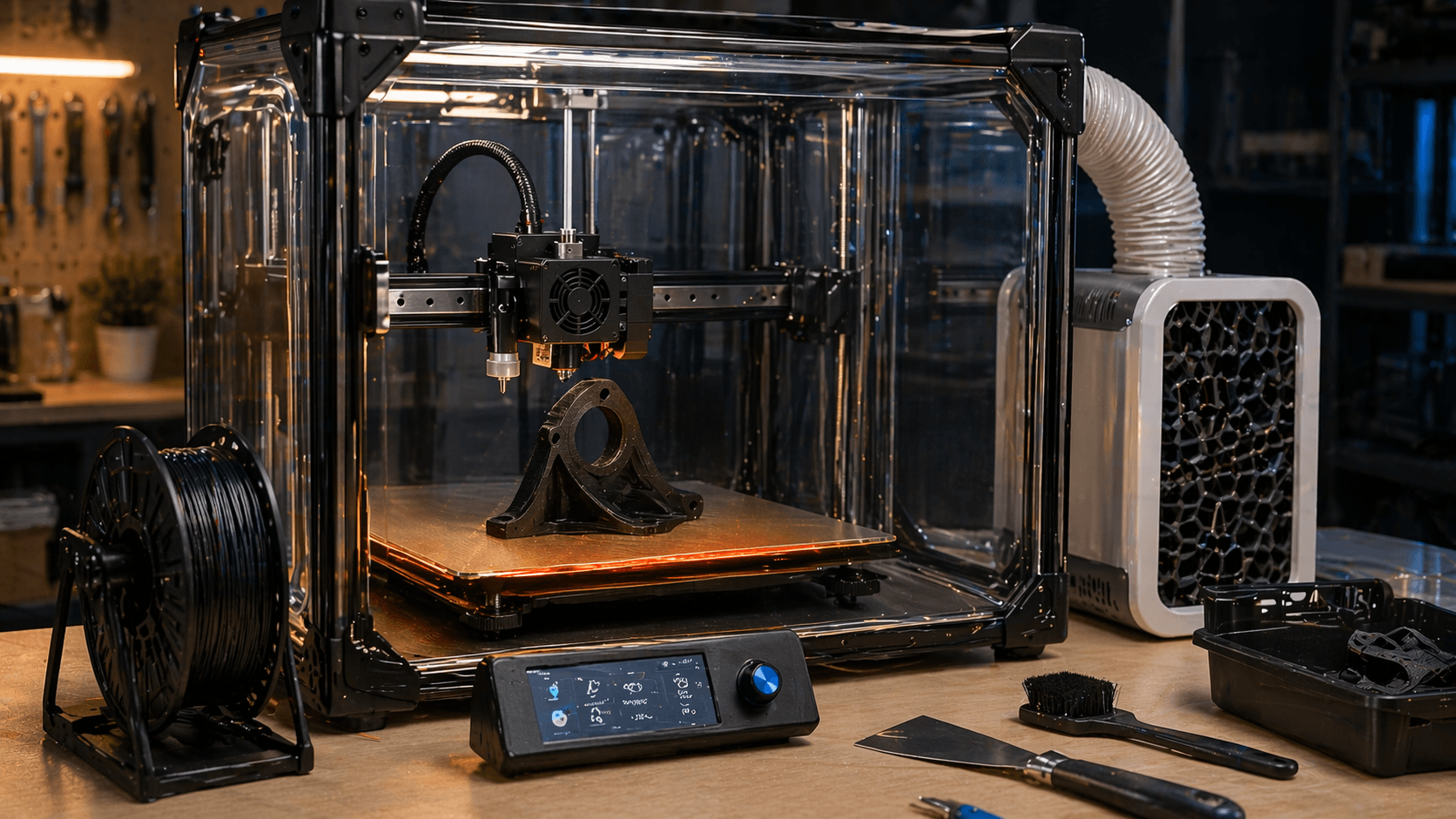
An enclosure is the single most important equipment addition for successful ABS printing. By maintaining a warm, stable environment around your print, an enclosure dramatically reduces warping and improves layer bonding. The enclosure should maintain an ambient temperature of 40-50°C during printing.
Enclosed Printer Options: The easiest solution is to purchase a printer that comes with an enclosure:
- Creality Ender 3 V2 Enclosed – Popular entry-level enclosed option with upgraded features
- Creality CR-10S Pro Enclosed – Large build volume with excellent enclosure
- Prusa i3 MK3S+ Enclosure – Premium enclosed printer with exceptional quality
- Creality K1 Max Enclosed – High-speed enclosed printer with advanced features
- Creality Ender 7 Enclosed – High-performance enclosed printer for enthusiasts
Enclosure Kits for Open-Frame Printers: If you already have an open-frame printer like the Ender 3, you can add an enclosure:
- Creality Ender 3 Enclosure Kit: Dedicated enclosure for Ender 3 series printers that provides excellent temperature control
- Universal 3D Printer Enclosure – Adjustable size fits most open-frame printers
- DIY Acrylic Enclosure Kit – Customizable enclosure you can modify and upgrade
Diy Enclosure Solutions: For budget-conscious makers, you can build your own enclosure using:
- Corrugated plastic sheets or foam insulation board
- Large storage bins modified with access holes
- PVC pipes and clear plastic sheets for a custom frame
Ventilation Systems
Because ABS emits styrene and other VOCs during printing, proper ventilation is crucial for safety. You have several options for fume management:
Air Filtration Systems: The most convenient option is an air filtration system that captures and removes fumes at the source:
- Inline air filtration unit – Install between your enclosure and outside vent
- Enclosure-mounted activated carbon filter – Attaches directly to your printer enclosure
- Desktop air purifier – Portable unit that can be positioned near your printer
Window Exhaust Kits: For the most effective fume removal, vent your printer to outside air:
- Window vent kit – Includes hose and window insert for easy installation
- Inline exhaust fan – Powerful fan moves air efficiently through vent hose
- Flexible vent hose – Heat-resistant hose for venting hot air
Enclosure with Integrated Filtration: Some advanced enclosures include built-in filtration:
- Enclosure with HEPA and carbon filters – Two-stage filtration for maximum fume capture
- Temperature-controlled enclosure – Includes both heating and filtration systems
Additional Recommended Equipment
Auto Bed Leveling: An auto bed leveling sensor is highly recommended for ABS printing. Consistent first layer quality is critical for ABS, and manual bed leveling can be frustrating and time-consuming. Auto leveling sensors ensure perfect bed flatness every time.
Chamber Temperature Monitor: A digital thermometer inside your enclosure helps you monitor ambient temperature and make adjustments as needed.
Part Cooling Fan Control: You’ll need to control your part cooling fan separately from the rest of the cooling system. Mosfet fan controllers allow you to disable or reduce part cooling for ABS while keeping hotend cooling active.
Optimal Temperature Settings for ABS
Finding the right temperature settings is crucial for successful ABS printing. These settings will vary slightly depending on your specific filament brand and color, but here are the baseline settings to start with.
Hotend Temperature
The hotend temperature determines how well your ABS flows and how strong your layer bonds will be:
- General Purpose: 230-250°C – Works for most ABS filaments and general printing
- High Strength: 250-260°C – Better layer bonding for functional parts
- Lower Quality ABS: 220-230°C – For budget filaments that may burn at higher temps
- Carbon Fiber ABS: 240-250°C – Slightly higher temperature for composite materials
Start at 240°C and adjust based on your results:
- If layers aren’t bonding well or prints are weak, increase temperature by 5°C
- If you see stringing or oozing, decrease temperature by 5°C
- If nozzle clogs frequently, your temperature may be too low
- If prints look glossy and show signs of burning, decrease temperature
Bed Temperature
Bed temperature is critical for first layer adhesion and preventing warping:
- Standard ABS: 100-110°C – Recommended for most ABS printing
- Absolute Best Adhesion: 110-120°C – For difficult prints or large surface areas
- With Adhesion Aids: 95-100°C – When using ABS slurry or strong adhesives
Always preheat your bed for at least 10-15 minutes before starting a print to ensure even heating throughout the entire bed surface.
Chamber Temperature
Maintaining a warm chamber environment is essential for reducing warping:
- Minimum: 40°C – Below this, warping becomes increasingly problematic
- Optimal: 45-55°C – Sweet spot for most ABS prints
- Maximum: 60°C – Above this, you risk softening the print and causing sagging
Use an enclosure heater or simply let the printer run warm to maintain chamber temperature. Monitor with a thermometer and adjust as needed.
Filament Dryness
Dry filament is absolutely essential for successful ABS printing. ABS is hygroscopic and absorbs moisture from the air, which causes:
- Stringing and oozing
- Popcorn-like sounds during printing
- Weakened layer bonds
- Surface defects and poor print quality
Drying ABS Filament: Before printing, dry your ABS filament:
- Drying Oven: Dedicated filament dryer set to 70-80°C for 4-6 hours
- Oven Method: Conventional oven at lowest setting (usually 70-80°C) for 4 hours
- Food Dehydrator: Set to 70°C for 6-8 hours
- Silica Gel: Store with desiccant packs in airtight containers between prints
Keep your filament dry during printing by using filament dry boxes that maintain humidity below 10% RH.
Advanced Slicer Settings for ABS
Beyond basic temperatures, your slicer settings play a crucial role in ABS print quality. These settings help manage ABS’s unique characteristics and minimize common issues.
Print Speed
ABS prints best at moderate speeds:
- Infill: 50-60 mm/s – Faster speeds reduce layer bond strength
- Perimeters: 40-50 mm/s – Slower speeds improve surface finish
- Top/Bottom Layers: 30-40 mm/s – Slowest speeds for best quality
- First Layer: 20-30 mm/s – Slow first layer ensures good adhesion
Print too fast and your layers won’t bond properly. Print too slow and you may experience overheating and sagging.
Retraction Settings
Proper retraction settings minimize stringing while maintaining reliable extrusion:
- Retraction Distance: 6-8mm (bowden) or 1-2mm (direct drive)
- Retraction Speed: 40-60 mm/s (bowden) or 25-35 mm/s (direct drive)
- Extra Prime Amount: 0-0.2mm³ – Small extra extrusion after retraction
Adjust these settings based on your printer type and the specific issues you encounter.
Part Cooling
Unlike PLA, ABS requires minimal part cooling:
- First Layer: 0% – No cooling during initial layers
- First Few Layers: 20-30% – Gradually introduce cooling
- Normal Layers: 30-40% – Minimal cooling for most printing
- Overhangs: 50-60% – Slightly more cooling for difficult overhangs
Too much cooling causes layer separation and warping. Too little cooling can result in poor overhang quality and stringing.
Infill and Shells
For strong ABS parts, adjust these structural settings:
- Wall Count: 3-4 walls – Thicker walls improve strength
- Top/Bottom Layers: 4-6 layers – More layers for solid tops and bottoms
- Infill Density: 20-40% – Higher density for functional parts
- Infill Pattern: Gyroid or cubic – These patterns offer excellent strength-to-weight ratio
Brim and Raft
For ABS, using a brim or raft significantly improves bed adhesion:
- Brim: 6-10mm wide – Recommended for most ABS prints
- Raft: Use for large, flat prints or high-warping materials
- Skirt: 2-3 lines – Minimum to prime the nozzle
A wide brim distributes stresses across the entire base of the print and dramatically reduces warping.
Layer Height
Layer height affects both print quality and layer bonding:
- Standard: 0.2-0.3mm – Good balance of quality and speed
- Fine: 0.1-0.15mm – For high-detail prints (may need higher temps)
- Thick: 0.3-0.4mm – For strong functional parts
Thicker layers generally provide better layer bonding for ABS, while thinner layers offer better surface detail but may require higher temperatures.
ABS Variants and Special Considerations
Several ABS variants offer improved properties or different printing characteristics. Understanding these variants can help you choose the right material for your needs.
ASA (Acrylonitrile Styrene Acrylate)
ASA is ABS’s weather-resistant cousin, offering:
- UV resistance for outdoor applications
- Better heat resistance than standard ABS
- Similar printing characteristics to ABS
Printing Considerations: ASA can be even more prone to warping than ABS and may require slightly higher temperatures (235-255°C hotend, 105-115°C bed). It’s worth the extra effort for outdoor projects.
ABS-ESD (Electrostatic Dissipative)
ABS-ESD offers electrostatic discharge protection, making it ideal for:
- Electronic enclosures
- Robotics components
- Handling sensitive electronics
Printing Considerations: ABS-ESD typically requires slightly higher temperatures (240-260°C) and prints best in a well-maintained enclosure. It may be more brittle than standard ABS.
ABS-CF (Carbon Fiber Reinforced)
Carbon fiber ABS offers:
- Increased strength and stiffness
- Improved dimensional stability
- Better surface finish
- Reduced warping compared to pure ABS
Printing Considerations: ABS-CF is abrasive and requires a hardened steel or ruby-tipped nozzle to prevent rapid wear. It prints well at standard ABS temperatures.
ABS-M30 (High Performance)
ABS-M30 offers improved properties over standard ABS:
- Higher impact strength
- Better layer bonding
- Enhanced chemical resistance
Printing Considerations: ABS-M30 typically prints at slightly lower temperatures (220-240°C) and may require less aggressive cooling. It’s an excellent choice for demanding engineering applications.
ABS Blends
Several blended materials combine ABS with other polymers:
- ABS+: Enhanced strength and easier printing
- ABS-Nylon: Improved flexibility and durability
- ABS-TPU: Combination of ABS strength and TPU flexibility
Always check manufacturer recommendations for specific blend temperatures and settings.
Troubleshooting Common ABS Issues
Even with proper equipment and settings, you may encounter issues. Here are the most common ABS problems and their solutions.
Warping
Symptoms: Corners lifting, curved bottoms, print detaching from bed
Solutions:
- Increase bed temperature by 5-10°C
- Improve chamber temperature (target 45-55°C)
- Use wider brim or raft
- Reduce print speed
- Apply adhesion aid (ABS slurry, hairspray, or PEI)
- Check for drafts around the printer
- Ensure filament is completely dry
Layer Separation
Symptoms: Weak prints, layers delaminating under stress
Solutions:
- Increase hotend temperature by 5-10°C
- Reduce part cooling
- Improve chamber temperature
- Increase wall count or use more perimeters
- Print slower for better layer fusion
- Increase top/bottom layer count
- Check for filament contamination
Stringing
Symptoms: Fine threads between print areas, oozing during travel moves
Solutions:
- Decrease hotend temperature by 5°C
- Increase retraction distance (up to 10mm for bowden)
- Increase retraction speed
- Enable coasting (0.5-1mm before travel)
- Improve travel moves (avoid crossing interior)
- Check for worn nozzle or extruder issues
Nozzle Clogging
Symptoms: No extrusion, grinding filament, clicking sounds
Solutions:
- Ensure filament is completely dry
- Increase hotend temperature by 10-15°C temporarily
- Clean nozzle with cold pull or needle
- Check for loose filament or tangled spool
- Inspect extruder for proper grip
- Consider upgrading to direct drive extruder
Poor First Layer Adhesion
Symptoms: Print doesn’t stick, slides around, or lifts during printing
Solutions:
- Ensure bed is perfectly level
- Increase bed temperature to 110-115°C
- Apply fresh adhesion aid (ABS slurry, hairspray, PEI clean)
- Decrease first layer speed to 15-20mm/s
- Use wider brim (10-12mm)
- Check bed surface for wear or damage
- Ensure filament is feeding properly
Overheating and Sagging
Symptoms: Print gets soft, loses detail, collapses during printing
Solutions:
- Increase part cooling (up to 50%)
- Decrease hotend temperature by 5-10°C
- Reduce chamber temperature slightly
- Print slower to allow heat dissipation
- Use a small fan for targeted cooling
- Consider using a tower for cooling calibration
Surface Imperfections
Symptoms: Rough surfaces, visible layer lines, poor finish
Solutions:
- Decrease layer height (0.15-0.2mm)
- Increase wall count for smoother outer surfaces
- Adjust extrusion multiplier (0.95-1.05)
- Clean nozzle and check for wear
- Improve bed adhesion to prevent micro-movements
- Reduce print vibration with damping feet
Post-Processing ABS Prints
ABS can be post-processed in several ways to improve appearance and functionality. These techniques can take your prints from good to great.
Sanding and Smoothing
ABS sands well and can be smoothed with:
- Sanding: Start with 80-120 grit, work up to 400-600 grit for smooth finish
- Filling: Use automotive body filler for gaps and imperfections
- Priming: Apply primer before painting for better adhesion
Chemical Smoothing
ABS can be chemically smoothed using:
- Acetone Vapor: Creates a smooth, glossy surface
- Acetone Dipping: Quick method for small parts
Safety Note: Acetone is highly flammable and toxic. Use in well-ventilated area away from ignition sources. Wear proper PPE including gloves and eye protection. Consider dedicated acetone vapor chambers for safer operation.
Painting and Coloring
ABS accepts paint well when properly prepared:
- Surface Preparation: Clean with isopropyl alcohol, light sanding
- Primer: Use plastic primer for best adhesion
- Paint: Spray paint or airbrush work well on ABS
- Clear Coat: Add protective clear coat for durability
Mechanical Assembly
ABS can be machined and modified:
- Drilling: Use sharp drill bits at slow speeds
- Tapping: ABS taps easily for threaded inserts
- Threaded Inserts: Heat-set inserts work perfectly in ABS
- Gluing: ABS cement or epoxy provide strong bonds
Best Practices for Consistent ABS Printing
Follow these practices to achieve consistent, high-quality ABS prints every time.
Environment Preparation
- Preheat your enclosure to 45-50°C before starting prints
- Ensure no drafts reach your print area
- Maintain consistent room temperature throughout long prints
- Keep humidity low (use dehumidifier if necessary)
- Clean work area to prevent contamination
Filament Management
- Always dry ABS before use (4-6 hours at 70-80°C)
- Store in airtight containers with desiccant
- Use filament dryers during long prints
- Keep filament dust-free with inline filters
- Check filament diameter for consistency
Print Planning
- Orient parts to minimize overhangs and support material
- Use brims or rafts for all ABS prints
- Plan print order for multi-part assemblies
- Allow chamber to fully heat before printing
- Monitor early layers for quality issues
Equipment Maintenance
- Clean nozzle regularly with cold pulls
- Check bed leveling frequently
- Inspect and tighten belts and pulleys
- Replace worn nozzles annually
- Check extruder grip and hob tension
Print Monitoring
- Watch first layer closely for issues
- Monitor chamber temperature during prints
- Check for signs of warping early in print
- Listen for grinding or clicking sounds
- Be prepared to adjust settings mid-print if necessary
Advanced Techniques for Professional ABS Prints
Once you’ve mastered basic ABS printing, these advanced techniques can take your results to the next level.
Temperature Towers
Print temperature towers to find the optimal temperature for each filament batch:
- Download or generate temperature tower models
- Set slicer to vary temperature by layer
- Print at 0.15mm layer height for best results
- Evaluate layer bonding and surface quality at each temperature
- Choose temperature with best overall results
Enclosure Temperature Control
Precise enclosure temperature control improves consistency:
- Use temperature controller for consistent chamber temps
- Add heat sources for larger enclosures
- Use thermal imaging to identify temperature variations
- Insulate enclosure walls for better heat retention
Part-Specific Settings
Adjust settings based on part requirements:
- Structural Parts: Higher density, more walls, slower print
- Aesthetic Parts: Slower speed, finer layer height, more cooling
- Functional Parts: Balance strength and speed, moderate settings
- Prototypes: Faster prints, lower infill, fewer walls
Multi-Material Printing
Combine ABS with other materials:
- ABS+HIPS: HIPS dissolves in d-limonene for easy support removal
- ABS+Support: Use breakaway supports for complex geometries
- Multi-Nozzle: Use dual extruders for different materials
Print Monitoring and Automation
Use technology to monitor and improve prints:
- 3D printer cameras for remote monitoring
- OctoPrint or similar for job management
- AI-based failure detection systems
- Automated temperature logging
ABS Safety and Environmental Considerations
Safety should always be your top priority when printing ABS.
Personal Protective Equipment
- Respirator: Use N95 or better respirator when printing ABS
- Ventilation: Always use proper ventilation – never print ABS in enclosed spaces
- Air Quality: Consider air quality monitors to track VOC levels
Fire Safety
- Keep fire extinguisher nearby
- Never leave printer unattended during long prints
- Use properly rated power supplies
- Install smoke detectors near printing area
Environmental Impact
- Recycle ABS scraps and failed prints
- Consider filament recycling systems
- Minimize waste through careful print planning
- Properly dispose of chemical waste from post-processing
Conclusion: Mastering ABS Printing
ABS remains one of the most versatile and useful 3D printing materials, offering excellent strength, heat resistance, and durability for functional parts. While ABS requires more equipment and careful tuning than PLA, the results are worth the effort for demanding applications.
Success with ABS comes down to three key factors: proper equipment (especially enclosure and heated bed), optimal temperature settings, and attention to detail in every step of the printing process. Start with the baseline settings in this guide, then fine-tune based on your specific printer, filament, and environment.
Remember that every printer and filament combination is unique. What works perfectly for one setup may need adjustment for another. Keep detailed notes of your successful settings, be patient with the learning process, and don’t hesitate to experiment with small adjustments.
Invest in quality equipment from the start – a good enclosure, reliable heated bed, and proper ventilation will save you countless hours of frustration and failed prints. With the right setup and these proven settings, you’ll be producing professional-quality ABS parts that rival injection-molded components in strength and durability.
For more advanced 3D printing guidance, explore our other guides on printer upgrades, ventilation systems, and bed leveling techniques. Happy printing, and may your ABS parts be strong, accurate, and warp-free!
Frequently Asked Questions
Product Comparison
| Product | Category | Best For | Check Price |
|---|---|---|---|
| high-wattage heated bed upgrade | ABS 3D Printing Settings : Temperature, Enclosure, and Cooling for Strong Parts | First layer quality | Amazon → |
| PEI (Polyetherimide) build sheets | ABS 3D Printing Settings : Temperature, Enclosure, and Cooling for Strong Parts | General use | Amazon → |
| Magnetic glass bed kits | ABS 3D Printing Settings : Temperature, Enclosure, and Cooling for Strong Parts | First layer quality | Amazon → |
| boron nitride coatings | ABS 3D Printing Settings : Temperature, Enclosure, and Cooling for Strong Parts | General use | Amazon → |
| auto bed leveling sensor | ABS 3D Printing Settings : Temperature, Enclosure, and Cooling for Strong Parts | First layer quality | Amazon → |
What is the best 3D printing filament for beginners?
PLA is the best starting filament — it prints easily at 190-220°C without an enclosure and produces good results. Once comfortable, PETG offers better strength and temperature resistance for functional parts.
How do I choose the right filament?
Consider the application: PLA for display models, PETG for functional parts, ABS/ASA for heat/sunlight exposure, TPU for flexible parts, and specialty filaments for engineering applications. Each has specific printer requirements.
What temperature should I print different filaments at?
PLA: 190-220°C nozzle / 50-60°C bed. PETG: 220-250°C / 70-80°C. ABS: 230-260°C / 100-110°C (enclosure needed). Nylon: 240-270°C / 70-90°C. Always check manufacturer recommendations for specific brands.
Where to Buy
Buy high-wattage heated bed upgrade on Amazon
Buy PEI (Polyetherimide) build sheets on Amazon
Buy Magnetic glass bed kits on Amazon
Buy boron nitride coatings on Amazon
📌 Related Articles
- Best 3D Printer Upgrades That Actually Improve Print Quality: Complete 2026 Guide
- Best Budget 3D Printer Upgrades That Actually Improve Print Quality: Belts, Springs, Hotends & More
- 3D Printing Safety Equipment Guide: Respirators, Gloves, and Ventilation for 2026
- Creality Creality Ender 3 V3 Plus vs Creality Ender 3 Pro: Full Specs Comparison & Buyer’s Guide
- Prusa Research Mini+ vs Prusa MK4: Full Specs Comparison & Buyer’s Guide