
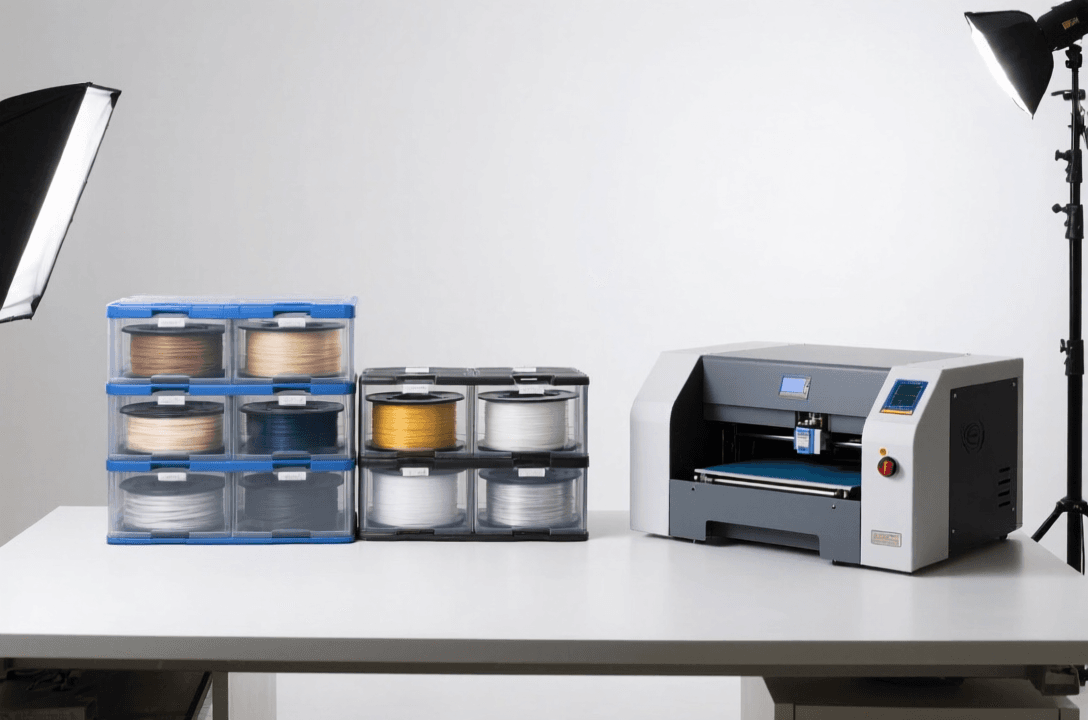
Protect your prints and workspace with the right enclosure solution
This article contains affiliate links. If you purchase through these links, we may earn a small commission at no extra cost to you. This helps support our site and allows us to continue creating valuable content for 3D printing enthusiasts.
Adding an enclosure to your 3D printer is one of the most impactful upgrades you can make. Whether you’re printing ABS and need consistent temperatures, want to reduce fumes and noise, or simply keep curious pets away from hot components, the right enclosure transforms your printing experience.
In this comprehensive guide, we’ll explore the best 3D printer enclosures available in 2026. We’ll cover fireproof tents, rigid cabinets, and modular solutions for every printer from Ender 3 to Prusa i3 and everything in between.
Why You Need a 3D Printer Enclosure
Temperature Stability
ABS, ASA, and other engineering materials require stable, elevated temperatures to print successfully. Without an enclosure, cooling drafts cause warping, layer separation, and failed prints. An enclosure maintains a consistent environment, dramatically improving success rates with temperature-sensitive materials.
Fume Reduction
Many filaments emit fumes during printing, especially ABS and high-temperature materials. An enclosure contains these fumes, protecting your workspace and making your printing environment safer. When paired with proper ventilation or an air filter, you can print ABS indoors without concerns.
Noise Reduction
3D printers can be noisy, with fans, steppers, and moving parts creating a constant hum. Enclosures dampen this noise, making your printer quieter and more pleasant to have running in your home or office.
Safety Protection
Hot nozzles, heated beds, and moving parts present risks, especially around children or pets. An enclosure provides a physical barrier, preventing accidental contact with hot components and keeping curious hands safe from harm.
Types of 3D Printer Enclosures
Product Comparison
| # | Product | Best For | Price |
|---|---|---|---|
| 1 | Fireproof 3D Printer Enclosure, 600°C Heat Resistant Protective Cover | Fire safety | Check Price on Amazon |
| 2 | Creality Official 3D Printer Enclosure Fireproof and Dustproof Tent for Ender 3 Series | Fire safety | Check Price on Amazon |
| 3 | Comgrow Fireproof and Dustproof 3D Printer Enclosure Large Tent | Fire safety | Check Price on Amazon |
| 4 | 3D Solutech PEI Spring Steel Sheet Magnetic Platform | Most popular | Check Price on Amazon |
| 5 | Magigoo Original 3D Printing Adhesive | Reliable | Check Price on Amazon |
Fireproof Tent Enclosures
Fireproof 3D Printer Enclosure, 600°C Heat Resistant Protective Cover
Best for: Maximum fire protection and heat resistance
$80-120
This fireproof enclosure offers exceptional protection with 600°C heat resistance. The fireproof material provides peace of mind, while the generous interior space accommodates most mid-size printers including Ender 3, CR-10, and Prusa i3.
- 600°C heat resistance – Superior fire protection
- Large interior space – Fits Ender 3, CR-10, and similar
- Transparent panels – Monitor prints without opening
- Easy access door – Convenient maintenance access
- Weather-resistant – Suitable for garage or workshop use
Creality Official Enclosures
Creality Official 3D Printer Enclosure Fireproof and Dustproof Tent for Ender 3 Series
Best for: Perfect fit for Creality printers
$70-100
Designed specifically for Creality’s popular Ender 3 series, this official enclosure provides factory-perfect fit and finish. The fireproof and dustproof design protects your printer while maintaining print visibility through the transparent cover.
- Official Creality product – Perfect fit for Ender 3, 3 Pro, 3 V2
- Fireproof material – 600°C heat resistance
- Dustproof design – Keeps your printer clean
- Quick assembly – Sets up in minutes
- Compact footprint – Optimized for Ender 3 dimensions
Large Universal Enclosures
Comgrow Fireproof and Dustproof 3D Printer Enclosure Large Tent
Best for: Large printers and multiple printers
$90-130
When you need extra space, this large universal enclosure delivers. The generous interior accommodates larger printers like CR-10S, Prusa XL, or even two smaller printers side by side. Fireproof construction ensures safety regardless of what you’re printing.
- Extra-large capacity – Fits CR-10, Prusa XL, and large format
- Fireproof material – 600°C heat resistance
- Dustproof design – Protects from workshop dust
- Reinforced zippers – Durable and reliable
- Multiple access points – Easy printer interaction
Enclosure Benefits by Material
PLA and PETG Printing
PLA and PETG don’t strictly require an enclosure, but you’ll still see benefits. Reduced drafts improve first layer consistency, especially with larger prints. The contained environment reduces noise and keeps curious fingers away from hot components. For PETG, an enclosure helps with temperature stability on tall prints.
ABS and ASA Printing
ABS requires stable ambient temperatures above 25°C, ideally around 30-35°C. An enclosure maintains this warmth, preventing the rapid cooling that causes warping and layer separation. The contained environment also helps ABS maintain better layer adhesion throughout the print.
TPU and Flexible Filaments
Flexible filaments benefit from enclosures primarily through temperature stability. Consistent warmth helps TPU flow smoothly without stringing. The enclosure also prevents dust from settling on your sticky, flexible prints during cooling.
Enclosure Setup and Accessories
Bed Surface Compatibility
3D Solutech PEI Spring Steel Sheet Magnetic Platform
Best for: Easy print removal with enclosed printing
$25-35
When upgrading to an enclosure, your bed surface becomes more critical. PEI spring steel sheets offer excellent adhesion for ABS while still allowing easy removal. The magnetic system lets you swap surfaces outside the enclosure without disturbing your print environment.
- PEI surface – Excellent adhesion for ABS and PLA
- Spring steel flexibility – Bend to release prints easily
- Magnetic mounting – Quick surface changes
- Double-sided – Two surfaces for extended use
- Enclosure compatible – Works perfectly in enclosed environments
Adhesive Solutions
Magigoo Original 3D Printing Adhesive
Best for: Smart, multi-material bed adhesion
$18-25
Enclosed printing changes bed adhesion dynamics. Magigoo provides the perfect solution – strong bonding at printing temperatures but easy release when cool. This smart adhesion works across all materials and is ideal for the stable, warm environment of an enclosure.
- Smart adhesion – Strong when hot, releases when cool
- Multi-material – Works with PLA, ABS, PETG, TPU, and more
- Enclosure optimized – Perfect for stable warm environments
- Clean application – No messy residue
- Long-lasting – One application lasts multiple prints
Choosing the Right Enclosure
By Printer Model
Ender 3 / Ender 3 V2 / Ender 3 Pro: Choose Creality’s official enclosure for perfect fit, or a fireproof tent with dimensions around 400x400x500mm. See also: Creality Creality Ender 3 V3 Plus vs Creality Ende…. These printers fit well in both tent and rigid enclosures.
CR-10 / CR-10S / CR-10 Max: You need a large enclosure. Look for dimensions around 500x600x600mm or larger. Large universal tents or custom rigid enclosures work best.
Prusa i3 / Prusa Mini: Prusa offers their own enclosure kits that integrate perfectly. Third-party options are also available, but measure carefully – Prusa dimensions differ from other printers.
By Space Constraints
Limited Space: Fireproof tents are ideal – they fold away when not in use and don’t require permanent floor space. Quick to set up and take down.
Dedicated Workspace: Consider a rigid cabinet or permanent enclosure. These provide better temperature stability, easier access, and a more professional appearance. They’re worth the investment if you have the room.
Enclosure Pros
- Better print quality with ABS and ASA
- Reduced fumes and odors
- Quieter printing
- Protection from dust and drafts
- Safety barrier for children and pets
- Consistent printing environment
Enclosure Cons
- Additional cost
- Takes up floor space
- Can make maintenance access more difficult
- Some printers require modification to fit
- Fireproof tents can limit visibility
Enclosure Safety Tips
Ventilation Considerations
While enclosures contain fumes, you still need proper ventilation. For occasional ABS printing, opening a window is sufficient. For regular ABS use, consider adding an exhaust fan with activated carbon filter. This removes fumes while maintaining temperature stability.
Temperature Monitoring
Most enclosures don’t include temperature control, but monitoring is valuable. A simple thermometer helps you track internal temperature. Aim for 25-30°C for ABS printing. If your enclosure runs too hot, add ventilation. Too cold? Consider a small heater or simply let the printer warm the space naturally.
Building Your Own Enclosure
If you’re handy, building your own enclosure can be cost-effective and rewarding. Use fireproof materials like aluminum composite panels (ACP) with polycarbonate windows. Include proper ventilation ports and access doors. DIY enclosures can be customized exactly to your printer and space requirements.
Materials to consider:
- Fireproof panels (ACP or similar)
- Polycarbonate or acrylic windows
- Aluminum extrusion frames
- Magnetic latches for doors
- Ventilation holes with dampers
Troubleshooting Enclosure Issues
Solution: Check for air leaks. Seal gaps around doors and cable ports. Ensure your enclosure is maintaining temperature consistently. Use a thermometer to verify internal temperature stays stable.
Solution: Add passive ventilation. Open small vents or use a quiet exhaust fan. A small amount of airflow won’t ruin print quality but will prevent overheating, especially with long print times.
Solution: Many enclosures have limited access. Consider adding cable extensions for your printer’s control screen and USB port. This lets you control and monitor your printer without opening the enclosure.
Conclusion
A 3D printer enclosure is one of the most valuable upgrades you can make, especially if you want to print ABS, ASA, or other engineering materials. The benefits extend beyond temperature stability to include reduced noise, contained fumes, and improved safety.
Choose the right enclosure for your printer model and space constraints. Fireproof tents offer flexibility and quick setup, while rigid cabinets provide better temperature control for dedicated workspaces. Pair your enclosure with quality bed surfaces like PEI spring steel sheets and smart adhesives like Magigoo for the best results.
Invest in a quality, fireproof enclosure and you’ll see immediate improvements in print quality, material compatibility, and overall printing experience. Your future self, and your prints, will thank you.
Happy printing!
Where to Buy
As an Amazon Associate, we earn from qualifying purchases.
Frequently Asked Questions
What is the best 3D printing filament for beginners?
PLA is the best starting filament — it prints easily at 190-220°C without an enclosure and produces good results. Once comfortable, PETG offers better strength and temperature resistance for functional parts.
How do I choose the right filament?
Consider the application: PLA for display models, PETG for functional parts, ABS/ASA for heat/sunlight exposure, TPU for flexible parts, and specialty filaments for engineering applications. Each has specific printer requirements.
What temperature should I print different filaments at?
PLA: 190-220°C nozzle / 50-60°C bed. PETG: 220-250°C / 70-80°C. ABS: 230-260°C / 100-110°C (enclosure needed). Nylon: 240-270°C / 70-90°C. Always check manufacturer recommendations for specific brands.
📌 Related Articles
- Best 3D Printer Upgrades That Actually Improve Print Quality: Complete 2026 Guide
- Creality Creality Ender 3 V3 Plus vs Creality Ender 3 Pro: Full Specs Comparison & Buyer’s Guide
- ABS 3D Printing Settings Guide: Temperature, Enclosure, and Cooling for Strong Parts
- Best Budget 3D Printer Upgrades That Actually Improve Print Quality: Belts, Springs, Hotends & More
- 3D Printing Safety Equipment Guide: Respirators, Gloves, and Ventilation for 2026