
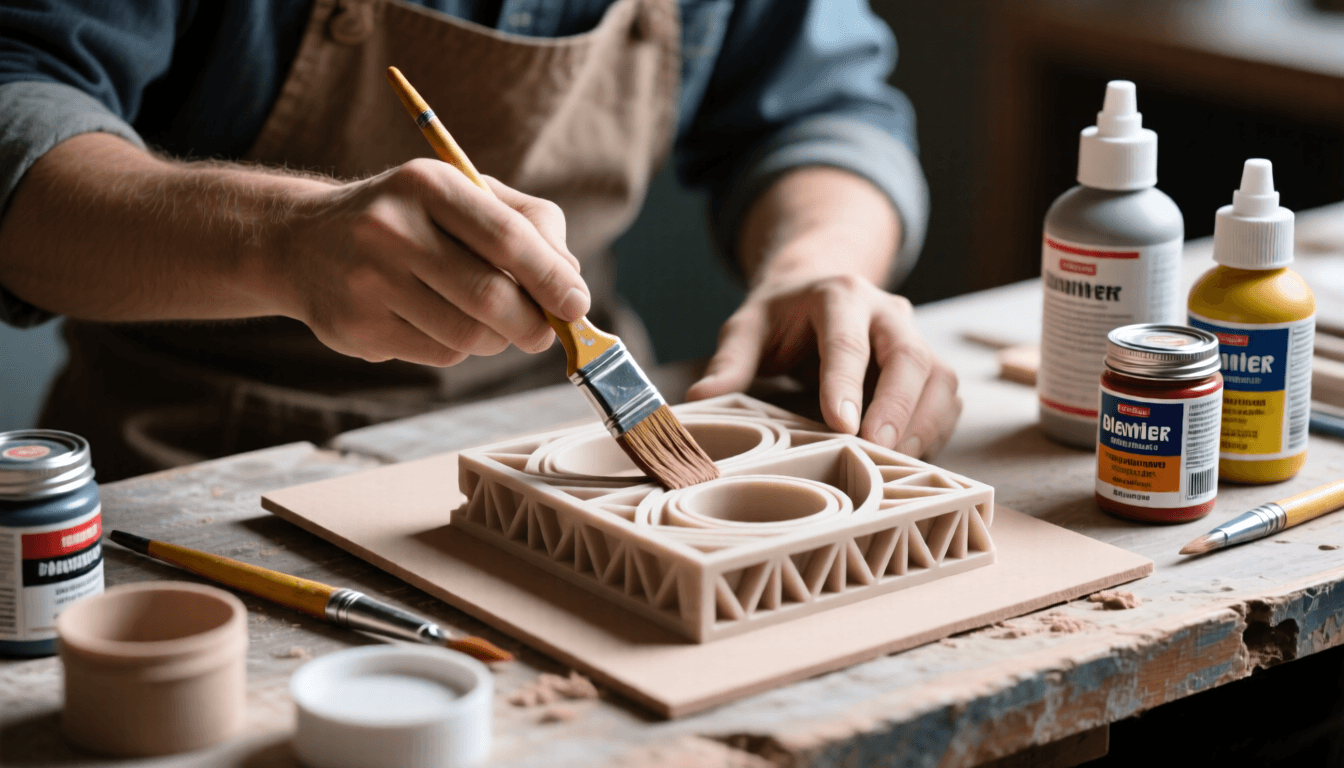
No matter how dialed-in your printer settings are, FDM prints almost always leave visible layer lines, support scars, and surface texture that falls short of injection-molded quality. Post-processing is the bridge between a raw print and a finished part that looks professional, feels smooth, and holds up to real-world use. This guide walks through every tool and technique you need to sand, prime, fill, paint, and finish 3D prints — from quick cleanup jobs to display-quality showpieces.
Disclosure: As an Amazon Associate, 3dput.com earns from qualifying purchases. This supports our independent testing and reviews.
Quick Picks: Essential Post-Processing Tools
If you’re building your post-processing kit from scratch, start here:
- Best Sanding Kit: A multi-grit sanding set (120–2000 grit) with foam-backed sheets and rigid blocks — covers 90% of smoothing work
- Best Filler Primer: Rust-Oleum Filler Primer spray — the community standard for filling layer lines before paint
- Best Rotary Tool: A Dremel-style rotary tool with sanding drums and cutting wheels — essential for fast material removal
- Best Paint System: Tamiya model paints (brush) or Rust-Oleum 2X (spray) — both deliver consistent, durable finishes
- Best Safety Gear: A P100 respirator with organic vapor cartridges — protects during both sanding and spraying
1. Sanding and Smoothing Tools
Sanding is the foundation of every finishing workflow. The goal is to progressively remove material through finer and finer abrasives until the surface is smooth enough for primer or direct use. How you sand depends heavily on the material you’re working with.
Material-Specific Sanding Tips
PLA: Sands well but tends to melt slightly under friction, especially at lower grits. Use light pressure, work in circular motions, and consider wet sanding above 400 grit to reduce heat buildup. PLA is forgiving — you can always print another part if you sand through a thin wall.
PETG: More temperature-resistant than PLA, so friction melting is less of an issue. However, PETG can string and smear if you use too much pressure with low grit paper. Keep the sandpaper clean by tapping it frequently. PETG responds well to chemical smoothing with ethyl acetate if you want to skip mechanical sanding for hard-to-reach areas.
ABS: Benefits from acetone vapor smoothing before any mechanical sanding. A quick acetone bath melts the surface just enough to eliminate most layer lines, then you only need light sanding to clean up any remaining texture. Sand ABS dry — it handles heat well and wet sanding isn’t necessary.
TPU (Flexible): Challenging to sand because the material deforms under pressure. Use sharp, fresh sandpaper and light strokes. Foam-backed sanding sheets work better than rigid blocks because they conform to the surface without digging in.
What to Look For in a Sanding Kit
- Grit range: You need 120–220 grit for aggressive material removal, 400–800 for intermediate smoothing, and 1000–2000 for final polishing. A kit that covers this full range is worth the investment.
- Backing type: Rigid blocks for flat surfaces, foam-backed sheets for curves and contours, and sanding sponges for complex geometries. Having all three gives you flexibility for any part shape.
- Wet/dry capability: Wet sanding produces less dust and a smoother finish at higher grits. Look for silicon carbide paper rated for wet use.
- Hook-and-loop (Velcro) system: If you’re investing in a rotary sander, hook-and-loop discs are far more convenient than adhesive-backed ones.
→ Shop 3D Printing Sanding Kits on Amazon
2. Filler Primers and Spray Paints
Filler primer is what separates a “sanded print” from a “finished part.” Standard primers just provide a paint-adhesion surface. Filler primers contain solids — usually fine talc or similar particles suspended in the paint — that physically fill in low spots, layer lines, and minor imperfections. Two to three thin coats of filler primer can make a 200-layer print look like it came off a mold.
How to Apply Filler Primer Effectively
- Clean the surface: After sanding, wipe the part with isopropyl alcohol to remove dust and oils. Any residue will show through the primer.
- Apply thin coats: Hold the can 8–12 inches from the surface and use sweeping passes. The first coat should be a light “mist coat” that doesn’t fully cover. This acts as a grip layer.
- Wait between coats: Follow the manufacturer’s recommended dry time (usually 15–30 minutes). Rushing causes runs and orange peel texture.
- Sand between coats: After the second coat dries, lightly sand with 400–600 grit paper. This removes primer buildup on high spots and reveals areas that need another coat. Wipe clean and apply the third coat.
- Final sand: After the last coat cures fully (24 hours if possible), sand with 600–800 grit. The surface should feel uniformly smooth to the touch.
Product Comparison
| Product | Category | Best For | Check Price |
|---|---|---|---|
| → Shop 3D Printing Sanding Kits on Amazon | 3D Print Post-Processing Tools : Sand, Prime, and Paint Like a Pro | Post-processing | Amazon → |
| → Shop Filler Primers on Amazon | 3D Print Post-Processing Tools : Sand, Prime, and Paint Like a Pro | Finishing work | Amazon → |
| → Shop Spot Putty on Amazon | 3D Print Post-Processing Tools : Sand, Prime, and Paint Like a Pro | General use | Amazon → |
| → Shop Rotary Tool Kits on Amazon | 3D Print Post-Processing Tools : Sand, Prime, and Paint Like a Pro | General use | Amazon → |
| → Shop Model Paint Sets on Amazon | 3D Print Post-Processing Tools : Sand, Prime, and Paint Like a Pro | Finishing work | Amazon → |
Primer Recommendations by Use Case
- Rust-Oleum Filler Primer: The go-to for general-purpose finishing. Thick, easy to sand, widely available, and inexpensive. Works on PLA, PETG, and ABS. For a deeper dive into material properties, check out our guide to the best 3D printer filament brands and our specialty filaments comparison.
- Krylon Filler Primer: Slightly thinner consistency than Rust-Oleum, which some users prefer for detail parts where you don’t want to obscure fine features.
- Testors Enamel Primer: Best for small, detailed models where precision matters. Dries harder than spray primers and takes fine sanding well.
- Tamiya Surface Primer: Premium option with excellent coverage in thin coats. Worth the price for competition-quality display models.
→ Shop Filler Primers on Amazon
3. Spot Putty and Fillers
Not every imperfection can be solved with sandpaper and primer. Deep support scars, gaps between multi-part assemblies, and large layer-line valleys on curved surfaces need filler material. Spot putty — borrowed from the automotive bodywork world — is the answer.
When to Use Putty vs. More Primer
If you can feel a depression with your fingernail after priming and sanding, that’s when putty comes in. Putty is much thicker than primer and fills deeper defects without requiring dozens of primer coats (which would obscure detail on the surrounding surface).
Application Technique
- Apply sparingly: Use a plastic spreader or the putty’s built-in applicator to fill only the depression. Over-application means more sanding later.
- Let it cure fully: Most spot putties dry to touch in 30–60 minutes but don’t reach full hardness for 2–4 hours. Sanding too early will pull the putty out of the fill.
- Sand flush: Start with 220–320 grit to knock down the bulk, then progress through 400 and 600 until the putty is level with the surrounding surface.
- Re-prime the area: After filling and sanding, hit the repaired area with a light coat of primer to seal it and ensure uniform paint adhesion.
Bondo Glazing and Spot Putty for Large Gaps
For significant gaps — like seams on multi-part prints or large support damage — consider Bondo glazing putty. It’s a two-part automotive filler that cures hard, sands well, and won’t shrink over time. Mix small batches and work quickly, as it begins setting within 5–10 minutes.
4. Rotary Tools and Accessories
A rotary tool is a force multiplier for post-processing. What takes 20 minutes with sandpaper by hand can take 2 minutes with the right bit. They’re especially useful for removing support material, cleaning up print artifacts, and smoothing large flat areas.
Essary Bits for 3D Print Post-Processing
- Sanding drums (60–120 grit): Fast material removal for support cleanup and rough shaping. Use with light pressure — these can remove a lot of plastic quickly.
- Flap wheels: More forgiving than solid drums, flap wheels conform slightly to curved surfaces and provide a more consistent finish.
- Cutting wheels: For separating parts printed together, removing brims and rafts, or trimming excess material. Thin cutting wheels produce less heat than thick ones.
- Polishing buffs: Used with polishing compound for final finishing on glossy parts. Can bring ABS and PLA to a near-mirror shine after progressive sanding.
- Small ball burrs: For detail work in tight areas, like cleaning up support marks on internal channels or reaching into small features that sandpaper can’t access.
Common Mistakes to Avoid
- Using too much pressure — let the tool do the work. Heavy pressure causes melting (especially on PLA), uneven surfaces, and can snap delicate parts.
- Running at maximum speed on plastic — high RPM generates heat. Start at medium speed and increase only if the bit isn’t cutting efficiently.
- Skipping clamping — secure your workpiece before using a rotary tool. A spinning bit can grab and throw small parts.
→ Shop Rotary Tool Kits on Amazon
5. Paint and Application Tools
The final step in most finishing workflows is paint. The right paint system depends on your skill level, the part’s intended use, and how much time you’re willing to invest.
Paint Types Compared
- Acrylic model paints (brush): Water-based, easy cleanup, good color range. Best for small-to-medium parts where brush control matters. Tamiya and Vallejo are popular choices. Thin with water or acrylic thinner for smooth brush strokes.
- Enamel model paints (brush): Oil-based, self-leveling, very durable. Dry slower than acrylics (24+ hours for full cure) but produce a harder, more chemical-resistant finish. Testors is the classic brand.
- Spray paints (rattle can): Fast, even coverage on large parts. Rust-Oleum 2X and Krylon Fusion are formulated to bond with plastic — ideal for 3D prints. Available in primer+paint combos for faster workflows.
- Airbrush: The gold standard for professional results. An airbrush delivers thin, even coats with precise control over paint thickness and coverage. The initial investment is higher (airbrush, compressor, hoses, cleaning supplies) but the results on detailed parts are dramatically better than brushing or spraying.
Masking for Multi-Color Finishes
If your part needs multiple colors, masking is critical. Tamiya masking tape is the standard — low tack, thin, and available in multiple widths. Apply it carefully over painted areas, burnish the edges with your fingernail to seal them, and remove at an angle to prevent pulling up the base coat. For complex masks, consider liquid masking fluid applied with a brush.
→ Shop Model Paint Sets on Amazon
6. Safety Equipment
This section isn’t optional. Sanding produces fine plastic dust. Spraying primer and paint releases VOCs (volatile organic compounds) and propellant chemicals. Both are harmful to inhale, and plastic dust in particular stays in your lungs for a long time.
Minimum Safety Setup
- N95 respirator: Absolute minimum for dry sanding. Not rated for chemical fumes — only particulates.
- P100 respirator with organic vapor cartridges: The correct mask for both sanding and spray painting. P100 filters block 99.97% of particles, and organic vapor cartridges absorb paint fumes and primer chemicals.
- Safety glasses: Rotary tools throw plastic debris. Primer overspray can irritate eyes. Wear them.
- Nitrile gloves: Prevents skin contact with paints, solvents, and putties. Change them between sanding and painting to avoid transferring dust to wet paint.
- Ventilation: Spray outdoors when possible. Indoors, use a spray booth with exhaust or at minimum open windows with a fan pulling air out. Never spray in a closed room. If you print with ABS or work with strong chemicals regularly, consider an enclosure ventilation system.
→ Shop Respirator Masks on Amazon
Complete Post-Processing Workflow
Here’s the full workflow from raw print to finished part, optimized for FDM plastics:
Step 1: Support Removal
Start by removing all support structures. Use flush cutters for tree-style supports, needle-nose pliers for breakaway supports, and your rotary tool with a cutting wheel for stubborn interface points. Work slowly — it’s easy to accidentally gouge the part surface when rushing through support removal.
Step 2: Initial Sanding
Begin with 120–220 grit sandpaper to remove support scars, z-seam artifacts, and any obvious layer lines. For flat surfaces, use a rigid sanding block to maintain flatness. For curved surfaces, use a foam-backed sheet or sanding sponge that conforms to the contour. Work in a single direction or circular motion — avoid back-and-forth scrubbing which creates uneven scratches.
Step 3: Filler Application
Apply spot putty to any deep imperfections — support marks, layer gaps on curved surfaces, or seam lines on multi-part assemblies. Let it cure fully (2–4 hours), then sand flush starting with 220 grit. Follow with a light overall coat of filler primer. Wait 20 minutes, sand with 400 grit, and apply a second coat.
Step 4: Progressive Sanding
After two to three coats of primer with intermediate sanding, the surface should be nearly smooth. Progress through 600 → 800 grit with light pressure. Switch to wet sanding for the final passes — water lubricates the paper, reduces clogging, and produces a smoother finish. The part should feel glassy to the touch when you’re done.
Step 5: Painting
Apply paint in thin, even coats. For spray paint, use the same technique as primer — mist coat first, then two to three wetter coats with drying time between each. For brush painting, thin the paint slightly and use multiple thin layers rather than one thick coat. Allow full curing time before handling (24 hours for most paints, longer for enamels).
Step 6: Clear Coat and Final Polish
Finish with a clear coat for protection and the desired sheen. Matte clear is forgiving and hides minor imperfections. Gloss clear looks great on smooth surfaces but highlights any remaining texture. For the highest quality finish, wet sand the clear coat with 1500–2000 grit, then polish with a buffing compound and soft cloth.
Frequently Asked Questions
Can I skip sanding and just use more primer?
For minor layer lines on PLA, yes — multiple coats of filler primer (4+) can fill shallow texture without sanding. But for significant layer lines, gaps, or support damage, sanding first saves time and primer. You’ll get a smoother result with less material buildup.
What’s the fastest way to smooth a print?
Chemical smoothing is fastest for compatible materials: acetone vapor for ABS, ethyl acetate vapor for PETG, or commercial smoothing products like XTC-3D epoxy coating. These eliminate most layer lines in minutes without manual sanding. However, chemical smoothing can obscure fine detail and isn’t reversible — practice on scrap prints first.
Do I really need a respirator for sanding?
Yes. PLA, PETG, and especially ABS produce fine particles when sanded that are small enough to reach deep into your lungs. A simple N95 mask is the absolute minimum, but a P100 respirator is far more effective and worth the $15–25 investment.
Can I paint directly on raw PLA without primer?
You can, but the results won’t be great. Paint adheres poorly to raw FDM surfaces — the layer lines create an uneven substrate, and PLA’s smooth surface doesn’t provide good mechanical grip for paint. Primer creates a uniform, slightly rough surface that paint bonds to properly. It’s an extra step that makes a significant difference in durability and finish quality.
Where to Buy
Buy → Shop 3D Printing Sanding Kits on Amazon on Amazon
Buy → Shop Filler Primers on Amazon on Amazon
Buy → Shop Spot Putty on Amazon on Amazon
Buy → Shop Rotary Tool Kits on Amazon on Amazon
Conclusion
Post-processing is what separates functional prints from polished finished products. Start with a solid sanding kit and filler primer — those two tools alone will transform most prints. Add a rotary tool for speed, proper safety gear for protection, and a paint system that matches your skill level. As with any craft, the more you practice, the faster and more consistent your results will become. The tools listed here will cover you from quick cleanup jobs to competition-quality display pieces. For more 3D printing guides and recommendations, explore our full library.
Related Articles
- 3D Print Post-Processing Guide: Sanding and Finishing Techniques
- Essential 3D Printing Hand Tools: Complete Buyer’s Guide for 2026
- Best 3D Printer Slicer Software: Cura, PrusaSlicer, Bambu Studio
- Best All-in-One 3D Printer Tool Kits: Complete Comparison for 2026
- Best Filament Dryers for 3D Printing in 2026: Complete Buyer’s Guide