
Why Resin 3D Printing Is Worth Considering in 2026
Resin 3D printing, also known as stereolithography (SLA) or masked SLA (MSLA), has come a long way since the early days of messy vat photopolymerization. In 2026, entry-level resin printers deliver stunning detail that FDM machines simply cannot match — layer lines vanish, sharp edges stay crisp, and miniatures, jewelry molds, and dental models look production-ready straight off the build plate.
Disclosure: As an Amazon Associate, 3dput.com earns from qualifying purchases. This supports our independent testing and reviews.
If you have been printing with an FDM machine and are curious about what resin can do, or if you are starting your 3D printing journey entirely fresh, this guide will walk you through everything you need to know. We cover the best beginner-friendly resin printers on the market right now, the essential accessories you should buy on day one, and the safety practices that keep resin printing enjoyable rather than hazardous.
How Resin Printing Works: A Quick Primer
Unlike FDM printers that extrude melted plastic filament layer by layer, resin printers use ultraviolet light to cure liquid photopolymer resin into solid objects. An MSLA printer — the most common type for hobbyists — shines a UV LCD screen through the bottom of a transparent film (the FEP) into a vat of resin. Wherever the light hits, the resin hardens. The build plate lifts slightly, the screen goes dark, and the process repeats for each layer.
This approach produces layers as thin as 0.025 mm (25 microns), compared to the 0.1–0.2 mm typical of FDM printing. The result is a surface finish that looks almost injection-molded, with details fine enough to capture individual strands of hair on a 28 mm tabletop miniature.
What to Look for in a Beginner Resin Printer
Build Volume
Smaller build volumes are actually an advantage for beginners. A compact print area means faster exposure times per layer, less resin wasted on failed prints, and a lower overall investment. Most entry-level resin printers offer build volumes around 130 x 80 x 165 mm, which is plenty for miniatures, small mechanical parts, and jewelry. If you need to print larger models like helmets or cosplay props, you will want to step up to an 8.9-inch or 10-inch screen model.
Screen Resolution and Pixel Size
Screen resolution directly affects print detail. Look for a pixel size of 35 microns or smaller. A 6K monochrome screen on a 5-inch printer gives you roughly 34 microns per pixel, which is excellent for fine details. Monochrome LCDs also last significantly longer than color LCDs — often 2,000 to 4,000 hours versus 200 to 500 — and they cure resin faster because monochrome screens let more UV light through.
Connectivity and Software
Most modern resin printers connect via Wi-Fi or USB and ship with their own slicing software. The two main options are Chitubox (used by Elegoo and many others) and Lychee Slicer (popular with Anycubic and Creality). Both are free for basic use and handle hollowing, tree supports, and exposure tuning well. Lychee has a slight edge in user-friendliness for absolute beginners because its guided setup walks you through each step.
Lift Speed and Z-Axis Stability
Faster lift speeds reduce print times but increase the risk of print failure and FEP damage. For your first printer, look for a machine with adjustable lift speeds and a sturdy Z-axis rail (linear rails are preferred over lead screws for long-term reliability). Some 2026 models include automatic FEP tension leveling, which is a nice quality-of-life feature.
Best Resin 3D Printers for Beginners in 2026
1. Elegoo Mars 4 Ultra — Best Overall Beginner Pick
The Elegoo Mars 4 Ultra is the sweet spot for first-time resin printers. It features a 5-inch 6K monochrome LCD, a 130 x 80 x 165 mm build volume, and a robust dual-linear-rail Z-axis that keeps prints stable even during fast lifts. The Mars 4 Ultra ships with a tilting vat mechanism that reduces suction forces on each lift, dramatically cutting down on failed prints — this is one of the biggest improvements over older fixed-vat designs.
Exposure times for standard 405 nm resin hover around 1.5 to 2.0 seconds per layer at 0.05 mm layer height. That translates to roughly 2 to 3 hours for a typical tabletop miniature, which is fast for the detail level you get. Elegoo’s Chitubox integration is polished, and the company maintains an active support forum.
Price range: $220–$270
2. Anycubic Photon Mono 2 — Best Value Under $200
If your budget is tight, the Anycubic Photon Mono 2 delivers excellent quality at a lower price point. It uses a 6-inch monochrome LCD with roughly 35-micron pixel size, giving you slightly more build area (143 x 89 mm) than the Mars 4 Ultra while maintaining comparable detail. The build plate is spring-loaded, which makes it easier to remove finished prints without prying and potentially damaging the FEP.
The Photon Mono 2 does not have the tilting vat mechanism found on the Mars 4 Ultra, so you will want to be slightly more conservative with lift speeds. Anycubic’s own slicer (Photon Workshop) works fine, but you can also use Chitubox or Lychee Slicer. A solid, no-frills entry into resin printing.
Price range: $160–$200
3. Creality Halot-Mage — Best for Print Speed
The Creality Halot-Mage stands out with its 8.9-inch monochrome screen and aggressively fast exposure times — some resins cure in under 1.0 second per layer at 0.05 mm. The larger build area (228 x 128 x 230 mm) means you can print multiple miniatures in a single batch or tackle larger models that smaller printers cannot accommodate.
Creality’s Halot ecosystem includes a clever air-purification module that attaches directly to the printer lid, drawing fumes through an activated carbon filter. This does not replace proper room ventilation but noticeably reduces resin odor during printing. The Mage also features a stable COB light source with uniform exposure across the entire build area, eliminating the corner dimming that plagued some older large-format models.
Price range: $280–$350
4. Elegoo Saturn 4 Ultra — Best for Larger Projects
If you know you will eventually want to print bigger pieces — cosplay helmets, functional mechanical parts, or batch-printing dozens of miniatures at once — the Elegoo Saturn 4 Ultra is worth the extra investment. Its 10-inch 12K monochrome LCD produces a 218 x 123 x 220 mm build volume with a 19-micron XY resolution that is genuinely impressive at this size.
The Saturn 4 Ultra shares the tilting vat design with the Mars 4 Ultra, and it adds an automatic resin feeding system that keeps the vat topped off during long prints. Multi-day print jobs are feasible if you have proper ventilation and monitoring. This printer is more machine than most beginners need on day one, but it grows with you without becoming obsolete.
Price range: $380–$450
Essential Accessories Every Resin Beginner Needs
A resin printer alone is not enough — you need a handful of accessories before your first print. Here is what to add to your cart on day one.
Safety Gear (Non-Negotiable)
Resin is a skin and respiratory irritant. You need nitrile gloves (latex does not provide adequate protection against uncured resin), a proper respirator with organic vapor cartridges for any sanding or curing work, and ideally a pair of safety goggles. Work in a well-ventilated area — a garage with an open door, a covered patio, or a dedicated workshop. Avoid printing in living spaces, especially bedrooms.
For a deeper dive into protective equipment, check out our companion guide on 3D printing safety equipment.
Wash and Cure Station
After a print finishes, you need to wash off uncured resin using 99% isopropyl alcohol (IPA) and then fully cure the print under UV light. A dedicated wash and cure station automates both steps and is far safer than using separate containers and a UV flashlight. We have a full roundup of the best options in our resin wash and cure station guide.
Resin
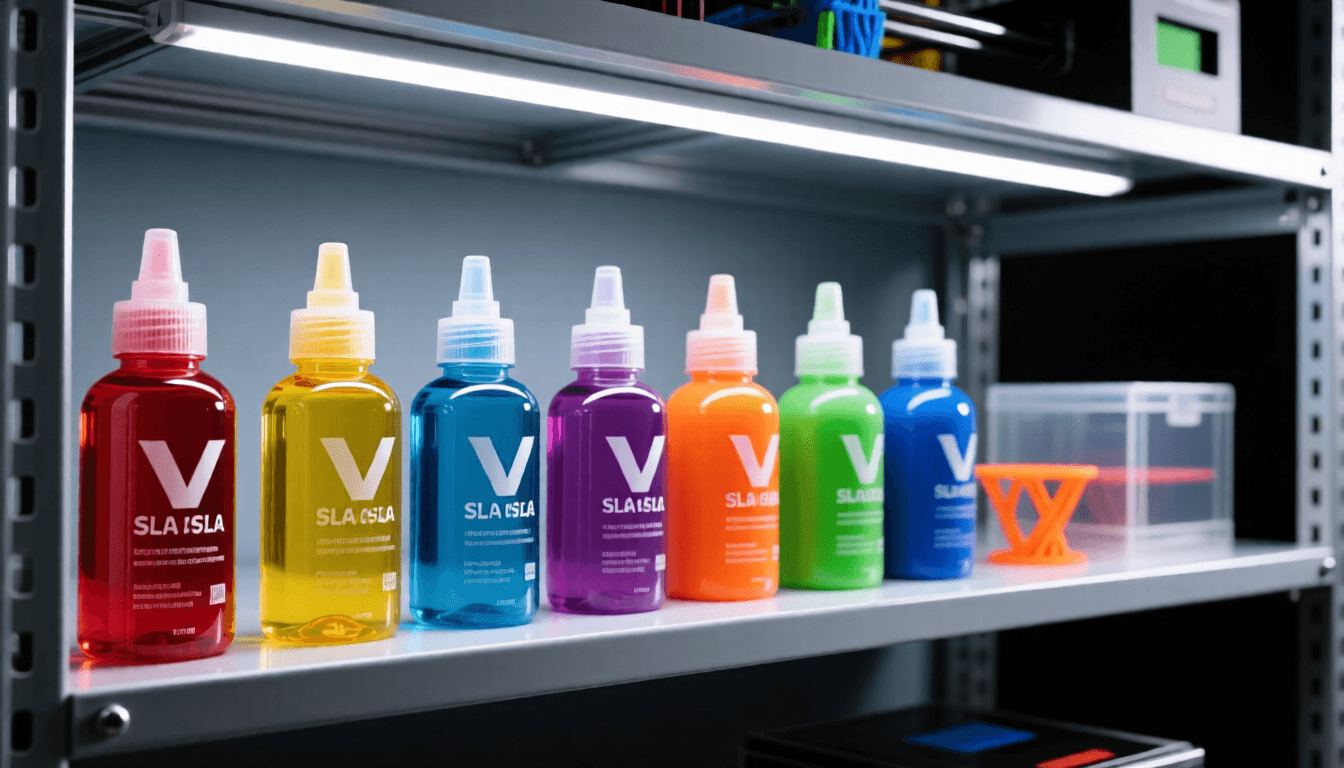
For your first prints, start with a standard water-washable resin in a neutral color like gray or white. Water-washable resins reduce your exposure to IPA and simplify cleanup, making the learning curve gentler. Once you are comfortable with the workflow, you can explore engineering resins (ABS-like, flexible, tough), castable resins for jewelry, and high-detail resins for miniatures.
Spare FEP Film and Build Plate Tape
The FEP film at the bottom of the vat will eventually scratch or tear. Keep a spare FEP replacement sheet on hand so a minor tear does not halt your printing for days. Some printers use PFA instead of FEP — check your manufacturer’s recommendation.
Post-Processing Tools
Metal spatulas, flush cutters, tweezers, sandpaper in multiple grits, and a UV-blocking storage container for leftover resin round out the basic kit. Our post-processing tools guide covers the recommended picks in detail.
Step-by-Step: Your First Resin Print
Once your printer and accessories arrive, follow this workflow for a stress-free first experience.
1. Prepare your workspace. Lay down a silicone mat or disposable plastic sheet. Open windows or set up a fan for cross-ventilation. Put on nitrile gloves and your respirator. Have paper towels ready for spills.
2. Level the build plate. Most modern resin printers ship pre-leveled, but verify with the paper test: place a sheet of paper between the build plate and the screen, lower the plate, and confirm you feel slight drag across the entire surface.
3. Pour resin. Shake the resin bottle thoroughly for at least 60 seconds. Pour enough resin to cover roughly 3–4 mm above the FEP. Pour slowly to avoid bubbles.
4. Slice your model. Import your STL into Chitubox or Lychee. Hollow the model if it is large (to save resin and reduce curing time). Generate tree supports — for miniatures, Lychee’s auto-support usually works well out of the box. Export the sliced file to a USB drive or send it over Wi-Fi.
5. Print. Start the print and resist the urge to open the lid. Opening the lid mid-print exposes the resin to ambient UV light and can cause layer adhesion failures. Monitor progress through the app or a webcam instead.
6. Wash. When the print finishes, remove it from the build plate (a paint scraper works well) and wash it in your wash station with IPA for 3–5 minutes, gently agitating. For water-washable resin, use warm water instead.
7. Cure. Transfer the washed print to the cure station. Most prints need 15–30 minutes under 405 nm UV light. Larger or thicker prints may need longer. The resin should feel hard and no longer tacky when fully cured.
8. Clean up. Pour leftover resin back into the bottle through a paint strainer. Wipe down the vat with paper towels while the resin is still liquid — cured resin scraps are much harder to remove. Dispose of contaminated paper towels and gloves in a sealed bag.
Common Beginner Mistakes and How to Avoid Them
Printing in an Unventilated Room
This is the single biggest mistake newcomers make. Uncured resin releases volatile organic compounds (VOCs) that irritate eyes, skin, and lungs. Even “low-odor” resins produce fumes during printing. Always work in a ventilated area and wear your respirator when handling uncured resin.
Skipping the Wash Step
Some beginners try to cure prints directly off the build plate to save time. This leaves a sticky, uncured residue on the surface that never fully hardens and can transfer resin to everything the print touches. Always wash first, then cure.
Product Comparison
| Product | Category | Best For | Check Price |
|---|---|---|---|
| Elegoo Mars 4 Ultra | Resin 3D Printers for Beginners in 2026: Starter | Beginners | Amazon → |
| Anycubic Photon Mono 2 | Resin 3D Printers for Beginners in 2026: Starter | Beginners | Amazon → |
| Creality Halot-Mage | Resin 3D Printers for Beginners in 2026: Starter | Beginners | Amazon → |
| Elegoo Saturn 4 Ultra | Resin 3D Printers for Beginners in 2026: Starter | Beginners | Amazon → |
| nitrile gloves | Resin 3D Printers for Beginners in 2026: Starter | Safety protection | Amazon → |
Using the Wrong Support Density
Too few supports and your print detaches from the build plate mid-job. Too many and you spend an hour picking tiny support nubs off your model with tweezers. Start with your slicer’s default support settings and adjust based on results. Lychee’s medium-density auto-supports are a reliable starting point for most models.
Not Shaking the Resin Bottle
Pigments and photoinitiators settle at the bottom of the resin bottle during storage. If you do not shake thoroughly before pouring, your first few prints may under-cure or have inconsistent surface finish. Sixty seconds of vigorous shaking makes a real difference.
Over-Tightening the Build Plate
Some beginners crank the build plate leveling screws down too hard, believing tighter is better. This causes the plate to press into the FEP during printing, creating drag marks and potentially tearing the film. Level to light contact, not pressure.
Resin vs. FDM: Which Should You Start With?
If you are choosing between resin and FDM for your very first printer, consider what you want to make. FDM excels at functional parts, larger prototypes, and low-cost iteration. Resin excels at miniatures, detailed models, jewelry, and anything where surface finish matters more than material strength.
Many experienced makers eventually own both types. There is no wrong starting point — but if fine detail is your primary motivation, resin is the clear choice. The 2026 entry-level machines from Elegoo, Anycubic, and Creality make it more accessible than ever, with prices starting under $200 and reliability that would have seemed luxurious three years ago.
Where to Buy
Buy Elegoo Mars 4 Ultra on Amazon
Buy Anycubic Photon Mono 2 on Amazon
Buy Creality Halot-Mage on Amazon
Buy Elegoo Saturn 4 Ultra on Amazon
Final Recommendations
For most beginners, the Elegoo Mars 4 Ultra offers the best balance of detail, reliability, and price. Pair it with a wash and cure station, proper safety gear, and a bottle of water-washable resin, and you have a complete starter setup for around $300–$350 total. If budget is the primary concern, the Anycubic Photon Mono 2 gets you printing quality resin models for under $200. And if you already know you want to go big, the Elegoo Saturn 4 Ultra will not hold you back.
Whatever you choose, invest in safety gear first. Resin printing is incredibly rewarding, but only when done responsibly. Happy printing.
Frequently Asked Questions
Are resin printers safe for home use?
Yes, with proper precautions. Always work in a well-ventilated area, wear nitrile gloves and safety glasses, and avoid skin contact with uncured resin. Use a dedicated wash station and cure station.
How much resin do I need to start?
Start with 1-2 liters (about 1kg) of standard resin. This is enough for 20-50 prints depending on size. Once you know your needs, buy in bulk for savings.
Can I use any resin in any printer?
Mostly yes, but check compatibility. 405nm standard resins work in most DLP and LCD printers. Some specialized resins (dental, castable) require specific curing wavelengths. Always check manufacturer specs.
How do I clean resin prints?
Use isopropyl alcohol (IPA) 90%+ in a wash station or ultrasonic cleaner. Agitate for 3-5 minutes, then dry with compressed air. Cure under UV light (395-405nm) for 10-30 minutes depending on resin type.
How long does cured resin last?
Properly cured resin parts are durable for years. Keep them out of prolonged direct sunlight, which can yellow standard resin. UV-stable resins resist yellowing better.
Related Articles
- Best 3D Printer Slicer Software: Cura, PrusaSlicer, Bambu Studio
- Best All-in-One 3D Printer Tool Kits: Complete Comparison for 2026
- Essential 3D Printing Hand Tools: Complete Buyer’s Guide for 2026
- Best Filament Dryers for 3D Printing in 2026: Complete Buyer’s Guide
- 3D Print Post-Processing Guide: Sanding and Finishing Techniques