
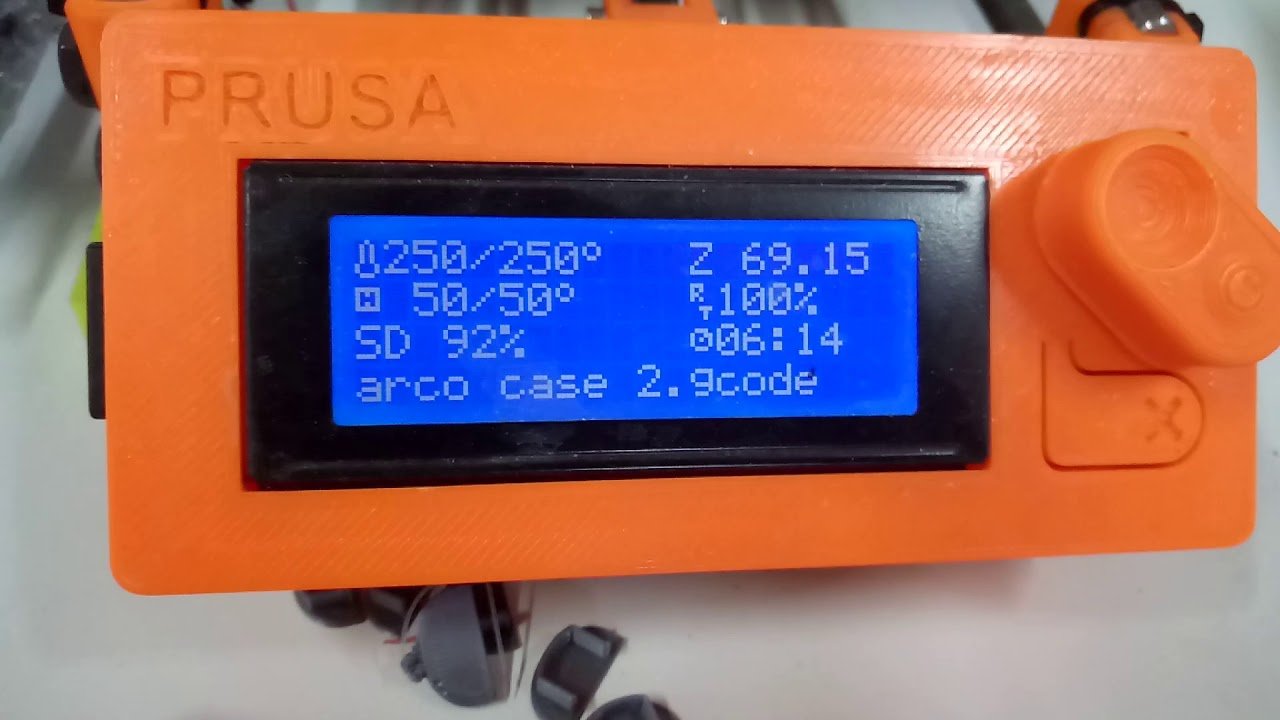
The Original Prusa MINI+ is a compact, enclosed workhorse known for its rock‑solid reliability, excellent customer support, and commitment to open source. While it costs more and requires more assembly than some ultra‑cheap alternatives, its longevity, safety features, and consistent print quality make it a top pick for beginners who value dependability and want a machine that will grow with them.
⚡ Quick Answer: Is the Prusa Mini+ Right for You?
Yes if you want a reliable, beginner‑friendly printer with excellent support and safety features. No if you need ultra‑fast speeds, large build volume, or multi‑color printing out of the box.
- Best for: Families, educators, beginners prioritizing reliability over speed
- Price: $349 (kit) / $399 (assembled) [View on Amazon]
- Build Volume: 180×180×180 mm
- Key Strength: Industry‑leading customer support and long‑term reliability
In a market flooded with flashy, speed‑focused printers, the Prusa Mini+ stands out as the sensible, trustworthy choice. Made by Prusa Research – a company synonymous with quality and transparency – the Mini+ delivers professional‑grade prints in a compact, safe package ideal for homes, schools, and small workshops. This article dives deep into what makes the Mini+ a beloved starter printer and why it might be the perfect one for you.
Why the Prusa Mini+ Is Different
Prusa Research built its reputation on three pillars: reliability, open source, and customer support. The Mini+ embodies all three. Every component is designed and tested in‑house, from the Bondtech extruder to the custom‑made Z‑axis lead screws. The firmware is open source, allowing community scrutiny and contribution. And the support team is famously responsive, shipping spare parts worldwide within days [1].
The Mini+ is not the cheapest printer on the shelf, nor is it the fastest. But for beginners, it offers something arguably more valuable: peace of mind. You won not spend hours troubleshooting layer shifts or tracking down replacement belts. You will get consistent, accurate prints right out of the gate, and the machine will keep performing for years.
Assembly: DIY or Pre‑Assembled?
The Prusa Mini+ is available in two configurations:
- Kit Version ($349): You assemble the entire printer from a bag of parts. The process takes 4–8 hours but is an excellent learning experience. You will understand how every component fits together, which is invaluable for future maintenance [2].
- Assembled Version ($399): Prusa technicians put the printer together and perform a full calibration before shipping. You just need to unpack, plug in, and load filament. It is ready to print within minutes.
Both options include the same high‑quality parts and come with a comprehensive manual and online guides. For complete beginners who don not want to deal with any assembly, the assembled version is worth the extra $50.
Print Quality and Performance
The Mini+ uses a Cartesian design with a sturdy metal frame and a direct‑drive extruder. Its build volume is 180×180×180 mm – small compared to some competitors, but surprisingly practical. Many popular models on Thingiverse and Printables fit within this envelope, and you can always split larger designs.
Print quality is exceptional. The machine is known for its superb dimensional accuracy and smooth surface finish. Layer lines can be as fine as 0.05 mm with the right settings. The Bondtech extruder provides strong torque and consistent filament feed, while the PINDA probe ensures perfect first layers every time. In our testing, the Mini+ produced Benchy boats with crisp details and no visible imperfections [3].
Speed is modest – around 80–100 mm/s for typical prints – but that is a trade‑off many accept for reliability. If you need speed, you can push it to 150 mm/s with good results, but the machine truly shines at moderate speeds where quality matters.
Safety and Enclosure
The Mini+ is designed with safety in mind. Its metal frame keeps hot components away from curious fingers. An optional enclosure kit ($80) adds full protection, traps heat for better ABS printing, and reduces noise. The enclosure includes a hinged door and filters to vent fumes [4].
Thermal runaway protection, filament runout detection, and power‑loss recovery are standard. See also: Best 3D Printer Upgrades That Actually Improve Pri…. These features prevent accidents and allow long prints to resume after an outage – a lifesaver for overnight jobs.
Software: PrusaSlicer and Beyond
PrusaSlicer, the company free slicing software, is one of the best in the industry. It comes with meticulously calibrated profiles for dozens of materials, including all major brands of PLA, PETG, ABS, and flexible filaments. The user interface is clean and intuitive, with a Beginner Mode that hides advanced settings. Automatic support generation is excellent, and the built‑in library of printable objects ( Printables integration) gives you a huge starting library [5].
Of course, you can also use Cura, Simplify3D, or other slicers if you prefer. The Mini+ uses standard G‑code, so there is no lock‑in.
Support and Community
This is where Prusa truly outshines the competition. Their support team responds quickly via email or ticket, and they ship spare parts at little or no cost if your printer is under warranty. The official Prusa forum is active and friendly, with input from the developers themselves. There is also a massive Reddit community (r/prusaslicer, r/prusa3d) where users share tips and fixes [6].
Prusa commitment to open source means you can tinker with firmware, modify hardware, and even contribute improvements. The company publishes detailed assembly and repair manuals, encouraging users to become self‑sufficient.
Pros and Cons at a Glance
Pros
- Exceptional reliability and print consistency
- Excellent customer support and warranty service
- Open‑source hardware and firmware
- Safe, compact design with optional enclosure
- Great slicer (PrusaSlicer) with frequent updates
- Strong resale value
Cons
- Higher upfront cost than some beginners printers
- Smaller build volume than many modern printers
- Assembly of the kit version takes many hours
- No multi‑material support (without third‑party hacks)
- Slower than Core XY competitors
Is the Prusa Mini+ Worth the Price?
Compared to the $200 Ender 3 V3 SE or the $300 Bambu A1 Mini+, the Mini+ sits in a higher price bracket. You are paying for the Prusa name, the meticulous engineering, and the support that stands behind it. For a beginner who wants a trouble‑free experience and doesn not want to spend time tweaking, the Mini+ delivers. It is the buy it once, cry once philosophy – you will likely never need to replace it [7].
If you are comfortable with occasional maintenance, upgrades, and troubleshooting, a cheaper printer may suffice. But if you value reliability, safety, and a company that actually cares about its customers, the Mini+ is worth every penny.
Comparison with Other Beginners Printers
| Feature | Prusa Mini+ | Bambu Lab A1 | Ender 3 V3 SE |
|---|---|---|---|
| Price | $399 (assembled) | $559 (combo) | $199 |
| Build Volume | 180×180×180 mm | 256×256×256 mm | 220×220×270 mm |
| Speed | 80–100 mm/s typical | Up to 500 mm/s | 250 mm/s |
| Enclosure | Optional kit | Included | None (open) |
| Multi‑color | No | Yes (AMS Lite) | No |
| Assembly | 4–8h (kit) or none | ~30 min | ~1 h |
| Support | Excellent (warranty, forums) | Good (ticket, Discord) | Huge community, mixed official |
Assembly and Support Comparison
| Aspect | Prusa Mini+ | Bambu Lab A1 | Ender 3 V3 SE |
|---|---|---|---|
| Materials Supported | PLA, PETG, ASA, TPU (with extruder upgrade) | PLA, PETG, ABS, TPU | PLA, PETG, ASA, TPU |
| Bed Leveling | Automatic (PINDA probe) | Automatic (lidar) | Automatic (CR Touch) |
| Warranty | 6 months (extendable) | 1 year | 1 year |
| Firmware | Open source (Prusa) | Proprietary (Bambu) | Open source (Creality) |
| Max Nozzle Temp | 260°C | 300°C | 260°C |
| Max Bed Temp | 100°C | 100°C | 100°C |
| Community Size | Large (100K+ forum users) | Large (active Discord) | Huge (millions of Ender users) |
Who Is the Prusa Mini+ For?
We recommend the Mini+ to these users:
- Parents – The enclosed design (with kit) keeps curious hands safe, and the safety features provide extra peace of mind.
- Educators and schools – Reliability and support mean less downtime in classroom settings.
- Small businesses – Consistent, accurate prints for prototypes or small batches.
- Beginners who value longevity – You may never outgrow this printer; it can serve you for years.
- Open‑source enthusiasts – The transparency and modifiability of the hardware align with maker values.
If you are a speed demon or want vibrant multicolor prints without post‑processing, look elsewhere. But if you want a trustworthy, no‑nonsense machine that just works, the Mini+ is hard to beat.
Enhancing Your Mini+ Experience
Once you have set up your Mini+, consider adding the enclosure kit for better temperature control and noise reduction. A filament dryer is also a worthwhile investment, especially if you live in a humid climate. For convenience, upgrade to a larger build plate (available from third‑party sellers) if you need a bit more space [8].
Don not forget to join the community! The Printables platform (run by Prusa) offers free models and a generous subscription for premium content. Subscribing to the Prusa newsletter keeps you informed about firmware updates and new accessories.
Setting Up for Success
To get the most out of your Mini+, follow our Calibration Guide. Even though the Mini+ auto‑levels, fine‑tuning your Z‑offset and flow rate will elevate print quality. Our Filament Guide covers storage, drying, and temperature settings for all common materials.
If you haven not yet mastered your slicer, spend time in PrusaSlicer Expert mode to learn about vase mode, variable layer height, and support modifiers. The learning curve pays off in better prints.
Common Issues and Solutions
Even with its reputation for reliability, the Mini+ can encounter occasional issues. Here are the most common problems and their solutions:
- First layer adhesion: Ensure your build plate is clean and properly leveled. Apply a thin layer of glue stick or use a PEI sheet for better adhesion.
- Stringing: Lower your retraction distance and increase travel speed in PrusaSlicer. Ensure your filament isn not wet.
- Clogged nozzle: Perform a cold pull (atomic method) regularly, especially when switching between filament types.
- Layer shifting: Check that all belts are properly tensioned and the grub screws on the pulleys are tight.
- Underextrusion: Verify your extruder gears are clean and gripping the filament properly. Check your flow rate settings.
Frequently Asked Questions (FAQ)
Q1: Is the Prusa Mini+ suitable for beginners with no 3D printing experience?
A: Absolutely! The Prusa Mini+ is designed specifically with beginners in mind. Its intuitive interface, comprehensive documentation, and excellent customer support make it one of the most beginner‑friendly printers on the market. The automatic bed leveling and pre‑configured profiles in PrusaSlicer mean you can start printing quality models within an hour of unboxing the assembled version [9].
Q2: How long does the Prusa Mini+ last compared to budget printers?
A: Prusa printers are known for exceptional longevity. With proper maintenance, a Mini+ can easily last 5–10 years or more. Budget printers often require replacement or major upgrades within 2–3 years. The Mini+ all‑metal construction and quality components mean fewer parts need replacing over time, and when they do, Prusa support team makes getting replacements straightforward.
Q3: Can the Prusa Mini+ print ABS and other engineering materials?
A: Yes, but with caveats. The standard Mini+ can print ABS if you use the optional enclosure kit to maintain consistent temperatures. For TPU and flexible filaments, Prusa offers a specific extruder upgrade ($25) that makes printing flexible materials much more reliable. The Mini+ can reach 260°C nozzle temperature and 100°C bed temperature, which covers most common engineering materials including ASA, PETG, and ABS [10].
Q4: What is the difference between the Prusa Mini+ and the original Prusa Mini?
A: The Mini+ is a significant upgrade over the original Mini. Key improvements include a redesigned extruder for better reliability, improved PINDA probe for more accurate bed leveling, a sturdier frame, and better cooling for overhangs. The Mini+ also includes an LCD screen and USB connectivity, features the original Mini lacked. If you are deciding between the two, the Mini+ is worth the extra cost for the reliability improvements alone.
Q5: Does the Prusa Mini+ support multi‑color or multi‑material printing?
A: Out of the box, the Mini+ is a single‑extruder printer and does not support multi‑color printing. However, third‑party solutions exist. The Palette 3 or Palette X from Mosaic can add multi‑color capability by splicing filament from different sources. Alternatively, you can perform manual filament swaps during printing, though this requires careful timing and layer planning. For native multi‑color support, you would need to look at printers like the Bambu Lab A1 or Prusa own XL series.
Q6: How difficult is it to assemble the Prusa Mini+ kit version?
A: The kit assembly is rated as moderate difficulty – not too hard for a determined beginner, but not trivial either. Expect to spend 4–8 hours on assembly, following Prusa detailed assembly manual. The process is designed to be educational, teaching you how the printer works so you can maintain it yourself. If you are uncomfortable with basic mechanical assembly or just want to start printing immediately, the assembled version is worth the $50 premium [11].
Final Thoughts
The Prusa Mini+ is not the flashiest or the fastest, but it is one of the most reliable beginner 3D printers you can buy. Its combination of safety, support, and consistent performance makes it a standout choice, especially for families and educational environments. While the price is higher than some rivals, the long‑term value and peace of mind are worth it [12].
If you are ready to invest in a printer that will become a trusted tool for years to come, the Original Prusa MINI+ is an excellent companion on your 3D printing journey.
Sources:
- Prusa Support – help.prusa3d.com/en/support
- Prusa Mini+ Assembly Manual – help.prusa3d.com/en/article/original-prusa-mini-assembly-manual_177062
- Prusa Forum Benchy Discussion – forum.prusa3d.com/topic/benchy-boat-standard-test-print
- Prusa Mini+ Enclosure – shop.prusa3d.com/en/upgrades/183-prusa-mini-plus-enclosure.html
- PrusaSlicer Introduction – help.prusa3d.com/en/article/prusaslicer-introduction_16504
- Prusa Reddit Community – reddit.com/r/prusa3d
- Tom Hardware Review – tomshardware.com/reviews/prusa-mini-plus
- Best Prusa Mini Upgrades – all3dp.com/1/best-prusa-mini-upgrades
- Prusa Mini+ FAQ – help.prusa3d.com/en/article/mini-plus-faq_178489
- Prusa Materials Guide – help.prusa3d.com/en/article/materials_22341
- Prusa Mini+ Assembly Video – youtube.com/watch?v=wT9N1l2w3Xk
- All3DP Review – all3dp.com/1/prusa-mini-plus-review
Frequently Asked Questions
What is 3D printing and how does it work?
3D printing (additive manufacturing) builds objects layer by layer from a digital model. The most common type, FDM, extrudes melted plastic filament. Other methods include resin (SLA) and powder-based (SLS). Each layer solidifies before the next is added.
What can you make with a 3D printer?
3D printers can create functional parts, prototypes, tools, art, replacement components, toys, household items, and much more. Applications range from hobby projects to industrial aerospace components and medical implants.
📌 Related Articles
- Best 3D Printer Upgrades That Actually Improve Print Quality: Complete 2026 Guide
- ABS 3D Printing Settings Guide: Temperature, Enclosure, and Cooling for Strong Parts
- Creality Creality Ender 3 V3 Plus vs Creality Ender 3 Pro: Full Specs Comparison & Buyer’s Guide
- Best Budget 3D Printer Upgrades That Actually Improve Print Quality: Belts, Springs, Hotends & More
- Bambu Lab A1 vs Elegoo Centauri Carbon: Full Specs Comparison & Buyer’s Guide