
Disclosure: As an Amazon Associate, 3dput.com earns from qualifying purchases. This supports our independent testing and reviews.
🎯 Ready to Buy Your First 3D Printer?
Browse Top-Rated 3D Printers on Amazon →
Looking for 3D printing supplies? Check the best deals on Amazon:
TL;DR: Choosing your first 3D printer doesn’t have to be overwhelming. Focus on budget, materials, print size, and how much setup/maintenance you’re willing to do. For absolute beginners, we recommend the Bambu Lab A1 or Creality Ender 3 V3 SE. For reliability and support, the Prusa Mini+ is a safe bet. Use the checklist below to invest in a machine that brings you joy, not frustration.
Quick Picks
Best Overall Experience
Bambu Lab A1 (Combo if you want multi-color)
Best Budget Value
Creality Ender 3 V3 SE
Best Support & Reliability
Prusa Mini+
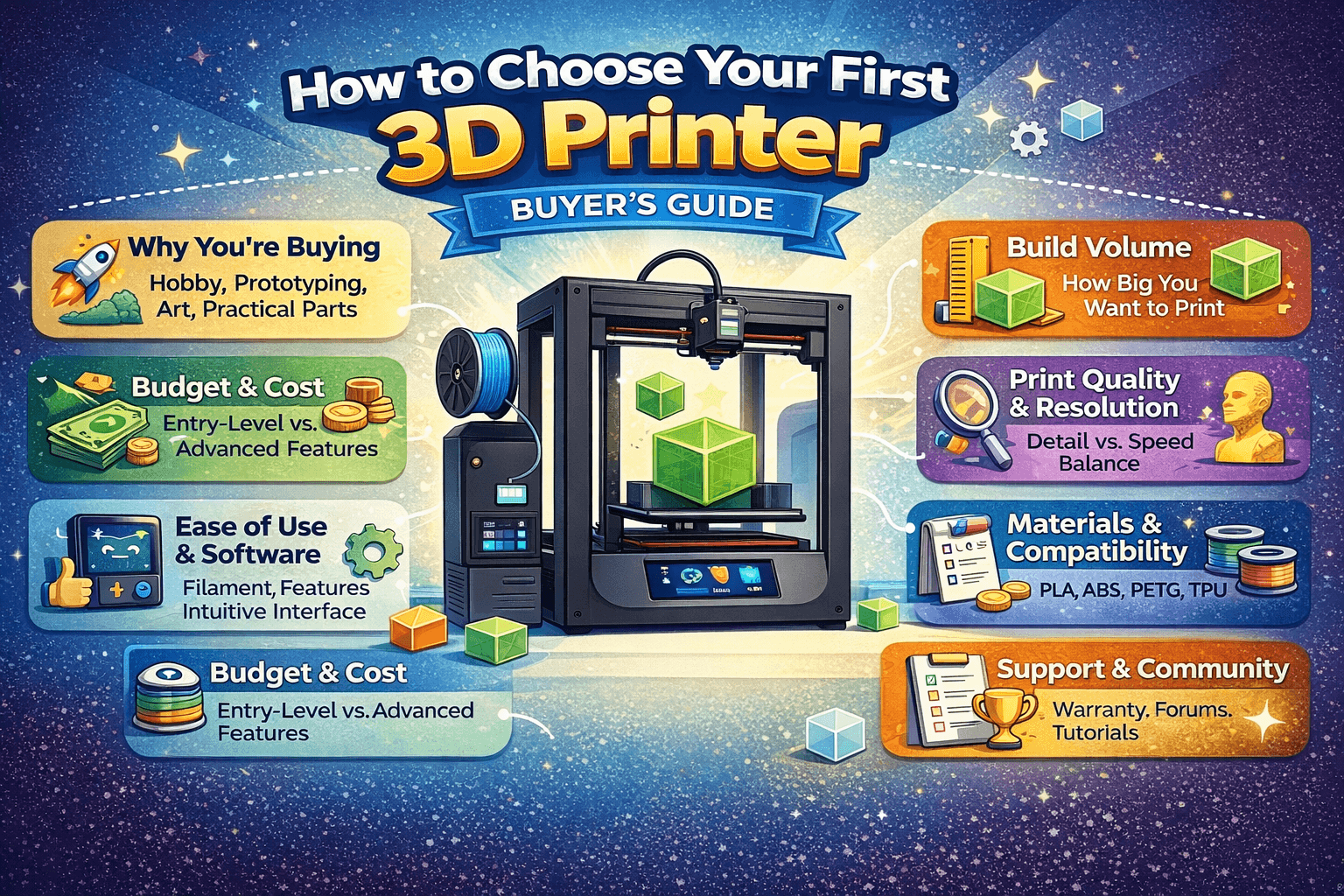
Buying your first 3D printer is an exciting step, but the sheer number of models, features, and price points can be confusing. This guide walks you through every factor that matters, from build volume to software ecosystems. By the end, you’ll know exactly what to look for.
Step 1: Define Your Budget
3D printers range from ~$200 for basic models to $2,000+ for professional machines. For beginners, the sweet spot is often $200–$600. Here’s what you typically get:
- Under $300: Open-frame Cartesian printers (e.g., Ender 3 V3 SE). Great value, more tuning.
- $300–$600: More reliable machines with auto-leveling and better “out of box” experience (e.g., Bambu A1, Prusa Mini+).
- $600–$1000: Faster, bigger, and more feature-rich (e.g., multi-color, enclosed designs, heated chambers on some models).
Don’t forget accessories: filament ($20–$30/kg), basic tools (spatula, cutters), and possibly a filament dryer. Add shipping and import taxes if ordering internationally.
Step 2: What Do You Want to Print?
Your main use-case should drive your choice. Different printers shine in different jobs:
- Small decorative items & hobby prints: Most printers work; multi-color adds flair (A1 + AMS Lite).
- Functional parts (enclosures, brackets, tools): Prioritize accuracy, rigidity, and PETG/ABS support.
- Large objects (cosplay, big props): Build volume matters; larger beds need more space and tuning.
- Kids / classroom use: Prefer safer, simpler workflows; consider enclosure options and easy maintenance.
Step 3: Materials Matter
The materials you plan to use determine temperature needs and whether you should get an enclosure:
| Material | Beginner-Friendly? | What You Need |
|---|---|---|
| PLA | ✅ Yes | Works on almost any printer; heated bed helps. |
| PETG | ✅ Mostly | Heated bed (~80°C). Avoid drafts; can string. |
| ABS/ASA | ⚠️ Intermediate | Hot nozzle (~250°C), bed (~100°C), enclosure recommended. |
| TPU (Flexible) | ✅ With the right printer | Direct-drive extruder helps a lot. |
| Nylon / PC | ❌ Usually not | High temps + ideally a heated chamber; more demanding. |
If you’re unsure, start with PLA. It’s the easiest, safest, and most forgiving.
Step 4: Speed vs. Quality
Speed is measured in mm/s. Faster printers save time, but reliability matters more when you’re new:
- Slow (50–80 mm/s): quiet, consistent, beginner-friendly
- Medium (100–150 mm/s): great everyday balance
- Fast (200+ mm/s): needs a rigid frame and good calibration
If you plan to print lots of big parts, a faster machine (like the Bambu A1) can save you hours. Otherwise, aim for “prints correctly” before “prints fast.”
Step 5: Assembly & Maintenance
Be honest about how much setup you want to do:
- Almost no assembly: Bambu A1, similar “ready-to-run” printers
- Partial assembly (~1 hour): many Ender/Anycubic models
- Full kit (4–8 hours): Prusa Mini+ kit (rewarding, but time-consuming)
Maintenance basics: clean the bed, check belts, lubricate rods/rails, and replace nozzles occasionally. See also: Creality Creality Ender 3 V3 Plus vs Creality Ende…. Simpler machines are easier to keep happy.
Step 6: Software & Connectivity
Your slicer is your cockpit. Some printers push a tight ecosystem (e.g., Bambu Studio), others lean on popular third-party slicers (Cura, PrusaSlicer). Prioritize ease of use and stability.
Connectivity options
- USB: works, but ties you to a computer
- SD/USB drive: reliable, but manual transfer
- Wi-Fi / cloud: convenient monitoring and sending jobs remotely (privacy trade-offs for some)
Step 7: Support & Community
When things go sideways (they will), good support saves time. Prusa is known for strong support. Creality has a massive community. Bambu Lab has ticket support and active community spaces. Also consider spare parts availability.
Step 8: Upgrade Path
Do you want a printer you can endlessly tinker with, or a machine that stays mostly “as-is”?
- Tinker-friendly: many Cartesian printers (Ender-style) have lots of upgrade options.
- Appliance-style: ecosystem printers often have fewer mods but higher baseline performance.
Decision Guide (Simple Choice Map)
Start here: Which of these sounds most like you?
- “I want the least hassle.” → Bambu Lab A1
- “I’m on a strict budget, but I’m willing to learn.” → Ender 3 V3 SE
- “I want long-term reliability and great support.” → Prusa Mini+
- “I want ABS/ASA and engineering materials often.” → look at enclosed/heated-chamber options (e.g., Qidi-style machines)
Buyer’s Checklist
Before you click “Buy,” run through this list:
- Budget: Filament, tools, shipping included?
- Build volume: Big enough for your typical projects?
- Materials: Temps + enclosure support match your plans?
- Assembly: Comfortable with setup time and complexity?
- Software: Beginner-friendly slicer on your OS? Cloud required?
- Safety: Thermal runaway protection? Safe around kids/pets?
- Support: Warranty + responsive support + active community?
- Upgrade path: Parts available if you want to mod later?
- Noise: Shared space friendly?
- Power: Any special power needs for your space?
Common Mistakes to Avoid
- Ignoring bed adhesion: even the best printer fails if the first layer doesn’t stick. Auto-leveling and a flexible plate help.
- Over-emphasizing speed: fast is fun, but consistency matters more early on.
- Skimping on filament: cheap filament can jam, string, and ruin prints. Start with reputable brands.
- Underestimating space: you need room for ventilation, maintenance, and filament storage.
- Forgetting slicing matters: good slicer settings often matter more than tiny hardware differences.
- Buying the cheapest option blindly: ultra-cheap printers can become frustration machines.
Our Recommendation Summary
Top Picks
- Best overall experience: Bambu Lab A1 Combo
- Best budget pick: Creality Ender 3 V3 SE
- Most reliable support: Prusa Mini+
Special Cases
- Engineering materials (ABS/PC): look for enclosed/heated-chamber models
- Large cosplay parts: prioritize build volume and stable frames
- Multi-color on a budget: compare total cost of multi-color add-ons
Next Steps
Once you’ve chosen your printer, follow a solid setup path:
- Read our First Print Guide for step-by-step setup tutorials.
- Use our Complete Filament Guide to pick the right material per project.
- If you need calibration help, follow our Calibration Guide (bed leveling, Z-offset, extrusion, retraction, and more).
Conclusion
Buying your first 3D printer is an investment in creativity. Understand your needs, pick a machine that matches your personality (tinkerer vs. “just print”), and don’t get stuck in analysis paralysis. The best printer is the one you’ll actually use. Happy printing.
Frequently Asked Questions
What is the best 3D printing filament for beginners?
PLA is the best starting filament — it prints easily at 190-220°C without an enclosure and produces good results. Once comfortable, PETG offers better strength and temperature resistance for functional parts.
How do I choose the right filament?
Consider the application: PLA for display models, PETG for functional parts, ABS/ASA for heat/sunlight exposure, TPU for flexible parts, and specialty filaments for engineering applications. Each has specific printer requirements.
What temperature should I print different filaments at?
PLA: 190-220°C nozzle / 50-60°C bed. PETG: 220-250°C / 70-80°C. ABS: 230-260°C / 100-110°C (enclosure needed). Nylon: 240-270°C / 70-90°C. Always check manufacturer recommendations for specific brands.
📌 Related Articles
- Best 3D Printer Upgrades That Actually Improve Print Quality: Complete 2026 Guide
- Creality Creality Ender 3 V3 Plus vs Creality Ender 3 Pro: Full Specs Comparison & Buyer’s Guide
- Best Budget 3D Printer Upgrades That Actually Improve Print Quality: Belts, Springs, Hotends & More
- ABS 3D Printing Settings Guide: Temperature, Enclosure, and Cooling for Strong Parts
- Bambu Lab A1 vs Elegoo Centauri Carbon: Full Specs Comparison & Buyer’s Guide