
Introduction
Thermoplastic Polyurethane (TPU) stands apart from rigid filaments like PLA, ABS, and PETG. It’s the go-to flexible material for 3D printing—rubbery, elastic, shock-absorbing, and uniquely suited for parts that must bend, compress, or absorb impact. From wearable devices and phone cases to custom gaskets, vibration dampeners, and cosplay props, TPU unlocks applications that rigid materials simply cannot achieve.
But TPU is also notoriously finicky to print. Its flexibility challenges traditional Bowden extruders, requiring careful retraction tuning, slower speeds, and often a direct-drive setup. The material comes in varying hardness (Shore 85A to 98A), each with different handling characteristics. Moisture sensitivity adds another layer of complexity.
This comprehensive 2026 guide covers everything you need to successfully print with TPU. We’ll explain Shore hardness scales, recommend top brands (eSUN, Sunlu, Sianyra, NinjaTek), provide specific print settings, troubleshoot common issues, and highlight ideal use cases. Whether you’re printing phone cases, flexible hinges, or wearable armor, understanding TPU is essential for expanding your 3D printing capabilities beyond rigid parts.
Understanding TPU: Shore Hardness Explained
What is Shore Hardness?
TPU’s flexibility is quantified by Shore hardness, measured on the A scale (for softer, rubber-like materials). The lower the number, the softer and more flexible the material:
- Shore 85A: Softest common TPU. Feels like a shoe heel or soft rubber. Highly flexible, stretches significantly under load. Good for soft grips, cushioned parts, very flexible hinges.
- Shore 90A: Medium-soft. Good balance of flexibility and ease of printing. Still very flexible but slightly more rigid than 85A.
- Shore 95A: Most common TPU hardness. Feels like a skateboard wheel or firm rubber band. Offers good flexibility while maintaining reasonable printability. This is what most “TPU 95A” filaments are.
- Shore 98A: Firm for a TPU. Approach semi-flexible territory. Easier to print than softer variants, more similar to semi-rigid materials. Requires less retraction tuning but still offers appreciable flexibility.
- TPU (Thermoplastic Polyurethane): Most common in 3D printing. Good abrasion resistance, oil resistance, and overall durability. Contains hard and soft segments for balanced properties.
- TPE (Thermoplastic Elastomer): Generic term for flexible thermoplastics; often softer and more challenging to print than TPU. Varies widely in formulation.
- TPC (Thermoplastic Copolyester): More temperature resistant and chemical resistant than TPU, but less common and often more expensive.
- Color pigments: Can affect flexibility (some fillers stiffen material)
- Foaming agents: Create lightweight, expanded flexible parts (e.g., NinjaTek Foam)
- Abrasion-resistant additives: For high-wear flexible parts
- Oil-resistant formulations: For automotive seals and gaskets
- Silk/shimmer additives: Cosmetic sparkle (doesn’t affect mechanical properties much)
- Tensile Strength: 20-35 MPa (varies by hardness and manufacturer)
- Elongation at Break: 300-700% (stretches significantly before breaking)
- Flexural Modulus: 10-50 MPa (very flexible compared to 1000+ MPa for rigid materials)
- Hardness: Shore 85A-98A
- Abrasion Resistance: Excellent, among the best of flexible materials
- Impact Resistance: Excellent—absorbs shock energy through deformation
- Tear Resistance: Very good
- TPU stretches 3-7x its original length before breaking; PLA/PETG break at 3-6% elongation
- TPU’s impact resistance is superior to rigid materials because it dissipates energy through deformation
- Not as strong as nylon or PC, but flexibility compensates in many applications
- Print Temperature: 210-235°C typical (some up to 245°C)
- Glass Transition Temperature (Tg): -50 to -30°C (rubbery at room temperature)
- Heat Deflection Temperature: ~60-80°C at 0.455 MPa
- Continuous Use Temperature: Up to ~80-90°C (some high-temp variants up to 120°C)
- Low-Temperature Flexibility: Remains flexible down to -30 to -40°C
- Oils, greases, and fats
- Many organic solvents
- Aliphatic hydrocarbons
- Water and humidity (limited—prolonged exposure causes swelling)
- Moisture content can reach 1-2% in humid conditions
- Causes bubbling, stringing, and reduced print quality
- Affects elasticity over time (dry TPU is slightly stiffer)
- Flexible filament can buckle in the cold zone between drive gear and hotend
- Retraction is very difficult/impossible without causing jams
- Speed must be drastically reduced (15-25 mm/s max)
- Stringing control is poor due to inability to retract
- Many Bowden setups simply cannot print TPU reliably beyond very soft Shore 85A
- Filament is constrained and pushed directly into hotend
- Retraction works normally (though still needs tuning)
- Faster print speeds possible (30-50 mm/s typical)
- Much more reliable with all TPU hardnesses
- Recommended for any serious TPU printing
- Stick to Shore 95A or 98A (firmer, less prone to buckling)
- Print extremely slowly (15-25 mm/s)
- Disable retraction completely
- Expect lots of stringing and quality compromises
- Consider upgrading to direct-driver extruder (e.g., Orbiter 2.0, BMG, Sprite) — relatively inexpensive and transforms TPU printing
- Shore 85A: 215-225°C (lower temp reduces stringing)
- Shore 95A: 220-235°C
- Shore 98A: 225-240°C
- Start at manufacturer recommendation and adjust ±5°C
- Lower than rigid materials because TPU doesn’t need high bed temps for adhesion
- Too hot causes filament to soften and stick to bed excessively; hard to remove
- PEI or BuildTak works fine; blue painter’s tape also good
- Retraction Distance: 2-4mm (direct drive); Bowden: 4-6mm (but disable if jamming)
- Retraction Speed: 25-40 mm/s (slower than PLA)
- Coasting: 0.2-0.5mm can help without jamming
- Wipe: 2-4mm
- Minimum Travel Distance: 1-2mm (too many small retractions cause filament grinding)
- Outer Wall: 20-35 mm/s
- Inner Wall: 25-40 mm/s
- Infill: 30-50 mm/s
- Top/Bottom: 20-35 mm/s
- Travel: 80-150 mm/s (higher travel ok if no retraction)
- First 2-3 layers: 0% (to ensure adhesion)
- Rest of print: 30-60% fan
- Too much cooling can cause layer delamination
- Too little cooling causes sagging on overhangs and poor surface quality
- Layer Height: 0.2-0.3mm typical (can go higher for flexible parts)
- Extrusion Width: 100-110% (slight over-extrusion helps bonding)
- First Layer Height: 100-120% for better squish and adhesion
- First Layer Speed: 15-20 mm/s
- Infill Density: 15-25% typical (TPU parts often don’t need dense infill; flexibility is often desired)
- Values typically 0.05-0.15 (direct drive)
- Lower than PLA values; test carefully
- Can dramatically improve surface quality and reduce stringing
- Combustion advance (look-ahead) helps maintain smooth acceleration/deceleration
- Max volumetric speed: TPU may need lower settings (10-15 mm³/s) than rigid materials due to melt viscosity
- Enable “avoid crossing perimeters” can reduce stringing on some slicers
- You need maximum flexibility for soft grips, cushions, wearable padding
- Printing phone cases with soft edges
- Cosplay props that need to bend and flex realistically
- Vibration dampening where softness is key
- General-purpose TPU needs (most common)
- Phone cases that aren’t too soft
- Flexible hinges and clips
- Wear-resistant parts that still need flexibility
- Good balance of printability and flexibility
- You want TPU but with minimal flexibility (semi-rigid)
- Snap-fit parts that need some give but mostly rigid
- When you want easier printing but still need some flexibility
- Parts that will see high wear and benefit from TPU’s abrasion resistance but don’t need much stretch
- Reduce retraction distance (try 1-2mm for direct drive, disable for Bowden)
- Increase retraction speed slightly (40-50 mm/s)
- Ensure nozzle temperature is high enough (230-240°C)
- Check filament path for sharp bends; ensure smooth feeding
- Clean drive gear—TPU can leave gummy residue
- Verify direct drive if using Bowden; consider upgrading
- Increase nozzle temperature by 5-10°C
- Lower print speed to reduce back-pressure
- Reduce bed temperature (40-50°C is plenty; too hot makes TPU too soft and sticky)
- Use PEI, BuildTak, or painter’s tape
- Ensure first layer is properly squished (adjust Z-hop/ first layer height)
- Decrease first layer speed (15-20 mm/s)
- Clean bed thoroughly with IPA
- Reduce or disable cooling on first layer
- Apply thin layer of glue stick for extra stick
- Use larger brim (10-15mm)
- Tune retraction: 2-4mm at 30-40 mm/s (direct drive)
- Enable coasting (0.2-0.5mm)
- Enable wiping (2-4mm)
- Reduce print temperature by 5°C
- Enable “combing” or “avoid crossing perimeters” in slicer
- Lower travel speed slightly
- Dry filament thoroughly (moisture causes more stringing)
- Increase retraction speed (up to 50 mm/s)
- Increase nozzle temperature (within safe range)
- Decrease cooling fan (20-40% max)
- Ensure filament is dry
- Increase extrusion width (110-115%)
- Reduce print speed on outer perimeters
- Check that layers aren’t cooling too fast (enclosure may help for large parts)
- Check pressure advance (may be too high); reduce to 0.05-0.10
- Reduce extrusion multiplier/flow rate by 2-5%
- Ensure retraction is working properly
- Check for moisture—wet filament can appear to over-extrude as it bubbles
- Reduce retraction distance
- Increase retraction speed moderately
- Check extruder gear tension—not too tight (grinds filament), not too loose (slips)
- Ensure filament diameter matches slicer setting
- Lower printing temperature if filament is too soft and slipping
- Replace worn drive gear
- Phone cases and tablet covers: Shock absorption, grip, thin flexible walls
- Wearable devices: Watch bands, fitness tracker straps, headphone cushions
- Cosplay and costumes: Armor pieces, flexible props, masks, wings
- Footwear: Custom insoles, shoe soles, cleats (test durability)
- Sports equipment: Grips, padding, protective gear
- Gaskets and seals: Custom O-rings, sealing strips, vibration dampeners
- Bumpers and shock mounts: Anti-vibration feet, protective bumpers, cushioning mounts
- Hinges and living hinges: Flexible joints, clips, clasps that bend repeatedly
- Cable organizers: Flexible cable wraps, strain relief boots
- Wheel treads and tires: For small robots, RC vehicles (wear-resistant)
- Custom belts and straps: For tools, enclosures, organization
- Ergonomic prototypes: Handles, grips, anything that needs to feel good in hand
- Functional prototypes needing flexibility: Bending prototypes, snap-fit testing, flexible mechanisms
- Wear testing: TPU wears well, so functional wear prototypes can be instructive
- High-temperature applications: TPU softens above 80-90°C
- Precision mechanical parts: TPU creeps (slow deformation under load), dimensions can change over time
- Load-bearing structural components: TPU stretches under load; not suitable for rigid support
- Chemical exposure to solvents: TPU swells in many solvents
- UV exposure: Degrades over time; use UV-resistant polymers for outdoor use
- When you need extreme stiffness or precision: PLA, PETG, or nylon are better
- Filament Settings Database – Find optimal TPU settings for your printer
- 3D Printer Comparison Tool – Which printers handle TPU best?
- Direct Drive Extruder Upgrades Guide – Transform your Bowden printer for flexible filaments
- Nylon Filament Review – Compare TPU to other engineering materials
- Flexible Filament Troubleshooting – Solutions to common TPU problems
- ABS: Hatchbox
- Nylon: Hatchbox, eSUN, Overture
- PC: Hatchbox, eSUN, Overture
- PEI: Hatchbox, eSUN, Overture
- PETG: Hatchbox
- PLA: Hatchbox
- TPU: Hatchbox
Note: Shore 00A exists (even softer, gel-like) but is rarely used in 3D printing due to extreme print difficulty.
TPU vs TPE vs TPC
For most flexible printing needs, TPU 85A-98A covers the range you’ll want.
TPU Formulations and Additives
Manufacturers add various modifiers to TPU:
Material Properties: Flexibility with Strength
Mechanical Properties
TPU’s defining characteristic is its elasticity combined with reasonable strength:
Comparison to other materials:
Thermal Properties
TPU prints at relatively low temperatures and has limited heat resistance:
Critical: TPU parts will soften and lose rigidity at temperatures above 60-80°C. Do not use in high-temperature environments (near engines, hot enclosures, etc.). For higher temperature flexible parts, consider TPC or TPE variants with higher heat ratings.
Chemical Resistance
TPU offers good resistance to:
Not resistant to: Polar solvents (ketones, esters, some alcohols), strong acids and bases. Always test chemical compatibility for your specific application.
Moisture Absorption
TPU is moderately hygroscopic (absorbs moisture from air):
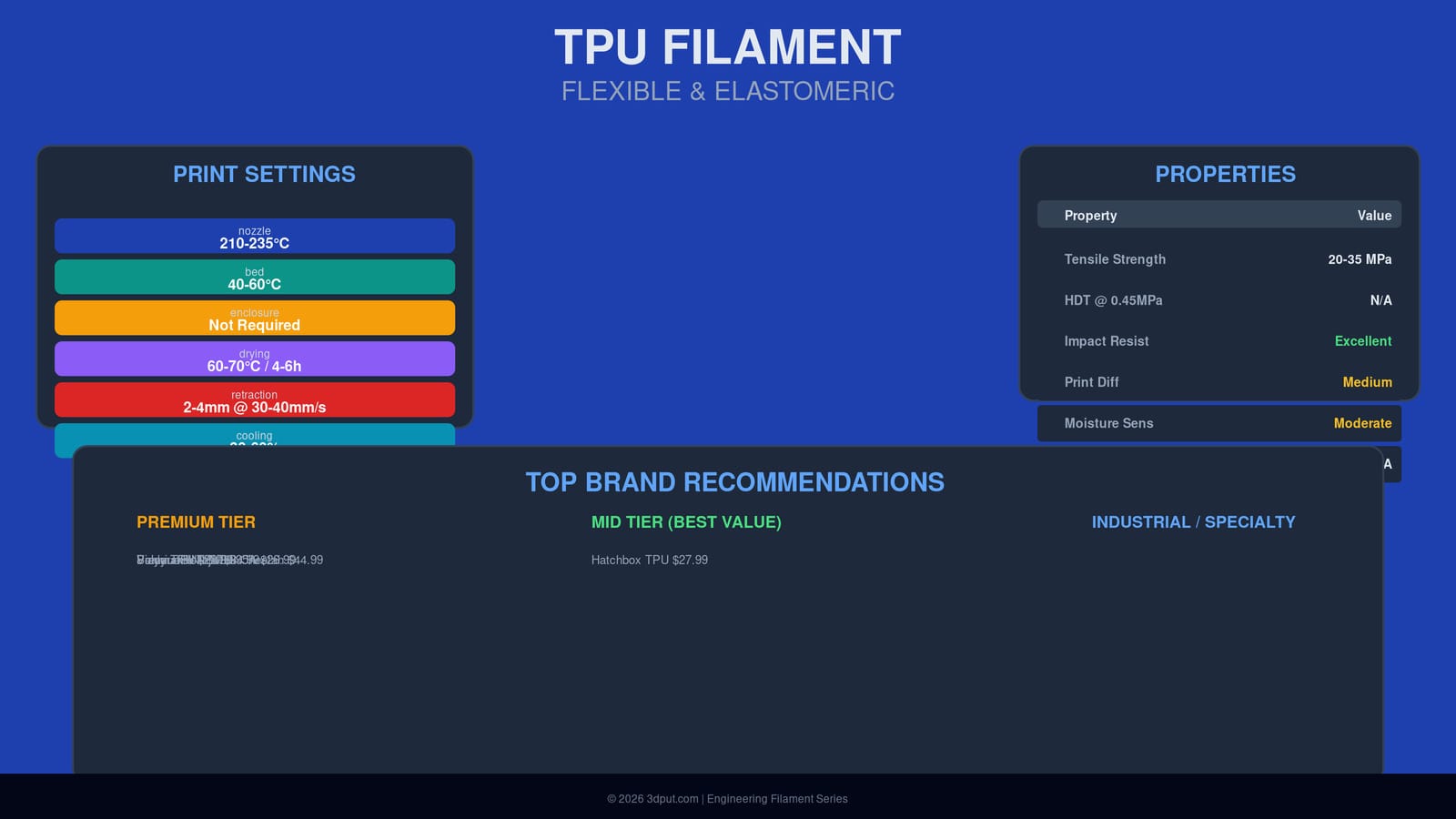
Drying recommended: 60-70°C for 4-6 hours before printing. Dry storage important.
Deep Dive: Extruder Requirements
Bowden vs Direct Drive: This is Critical
TPU’s flexibility makes it extremely challenging to push through long Bowden tubes:
Bowden Extruder Issues:
Direct Drive Advantages:
If you only have a Bowden printer:
Print Settings for Reliable TPU
Temperature Settings
Nozzle Temperature: 210-235°C typical
Bed Temperature: 40-60°C
Enclosure: Not required but can help with ambient stability. Avoid high ambient temps which can cause filament to soften before entering extruder.
Retraction Settings
Retraction with TPU is critical for controlling stringing but must be tuned carefully to avoid jams:
General Guidelines:
Key Principle: TPU requires gentler retraction than PLA. Over-retraction causes the flexible filament to compress and expand erratically, leading to jams or inconsistent extrusion.
Print Speed Recommendations
TPU prints slower than rigid materials:
Note: Firmer TPU (98A) can handle higher speeds; softer 85A should stay at lower end.
Cooling
TPU benefits from cooling but not excessive:
Find balance: enough cooling to crisp details and prevent sagging, but not so much that layers don’t bond.
Layer Height and Extrusion
Pressure Advance / Linear Advance
Highly recommended for TPU to eliminate blobs at corners:
Flow and Combustion Advancements
Top Brand Recommendations (2026)
Premium Tier
| Brand | Product | Hardness | Price/kg | Nozzle Temp | Bed Temp | Key Features |
|---|---|---|---|---|---|---|
| NinjaTek | NinjaFlex | 85A | $49.99 | 210-230°C | 40-50°C | Original flexible filament, excellent elasticity |
| NinjaTek | Cheetah | 95A | $44.99 | 230-250°C | 50-60°C | Firmer, easier to print than original NinjaFlex |
| Sianyra | Sianyra Flex TPU | 65-82A | $42.99 | 210-235°C | 40-55°C | Wide hardness range, excellent quality |
| Polymaker | Polymaker TPU | 95A | $34.99 | 220-240°C | 50-60°C | Reliable, consistent, good value for quality |
Mid Tier (Best Value for Money)
| Brand | Product | Hardness | Price/kg | Nozzle Temp | Bed Temp | Key Features |
|---|---|---|---|---|---|---|
| eSUN | eSUN TPU 95A | 95A | $26.99 | 220-235°C | 50-60°C | Most popular TPU, reliable, widely available |
| Sunlu | Sunlu TPU | 95A | $22.99 | 210-235°C | 45-60°C | Budget-friendly, acceptable quality |
| Overture | Overture TPU | 95A | $24.99 | 215-235°C | 45-60°C | Good value, decent consistency |
| Hatchbox | Hatchbox TPU | 95A | $27.99 | 220-240°C | 50-65°C | Amazon Prime, good support |
Choosing the Right Hardness
Use Shore 85A when:
Use Shore 95A when:
Use Shore 98A when:
Troubleshooting Common TPU Problems
Problem: Filament Jams in Extruder
Symptoms: Extruder skips, filament grinds, complete blockage.
Solutions:
Problem: Poor Bed Adhesion
Symptoms: First layer detaches, corner lifting, print shifts.
Solutions:
Problem: Excessive Stringing
Symptoms: Fine strands connecting travel moves, fuzzy prints.
Solutions:
Problem: Layer Delamination / Poor Layer Bonding
Symptoms: Visible gaps between layers, weak parts that pull apart.
Solutions:
Problem: Over-Extrusion / Blobs
Symptoms: Bulging corners, excess filament, rough surfaces.
Solutions:
Problem: Filament Grinding / Skipping
Symptoms: Extruder makes clicking/grinding noises, filament strips, print quality degrades.
Solutions:
Ideal Use Cases: Where TPU Shines
Consumer and Wearable Products
Mechanical and Functional Parts
Prototyping
When NOT to Use TPU
Frequently Asked Questions
Q: What’s the maximum printing speed with TPU?
A: On a well-tuned direct-drive printer, 40-50 mm/s for outer walls and up to 60 mm/s for infill is achievable with good quality. Very firm TPU (98A) can go faster (60-80 mm/s). Bowden setups generally max out at 20-30 mm/s.
Q: Can I print TPU on an Ender 3?
A: Yes, but you’ll need a direct-drive extruder upgrade for best results. The stock Bowden extruder can print very firm TPU (98A) at slow speeds (15-25 mm/s) with retraction disabled, but expect stringing and reliability issues. Upgrading to a direct-drive extruder like the Sprite or Orbiter transforms TPU printing on Ender 3.
Q: Which TPU hardness is best for phone cases?
A: Shore 95A is the sweet spot: flexible enough to absorb shock and provide grip, but not so soft that the case feels flimsy or accumulates dust easily. Shore 85A might be too soft for daily use; 98A might be too rigid.
Q: Does TPU need to be dried?
A: Yes, TPU is hygroscopic and absorbs moisture. Dry at 60-70°C for 4-6 hours before printing if not stored in a dry box. Wet TPU prints with bubbles, pops, and poor layer adhesion. Store in airtight container with desiccant.
Q: What nozzle temperature is too hot for TPU?
A: Above 245-250°C risks degradation (thermal breakdown) and increased stringing. Some manufacturers recommend up to 260°C for specific variants, but 210-235°C is typical. If you see excessive bubbling, burning smell, or discoloration, lower the temperature.
Q: Can I smooth TPU prints?
A: TPU cannot be smoothed with chemical vapor like ABS. You can sand with wet/dry sandpaper (start 200 grit, work up to 2000 for smooth finish). Chemical dipping in specific solvents is possible but hazardous and not recommended. Best quality comes from proper print settings and layer height selection.
Q: Is TPU food safe?
A: Most TPU filaments are not FDA-approved for food contact. Some manufacturers offer FDA-compliant TPU formulations, but they’re rare. Do not use standard TPU for food containers, water bottles, or items that will contact food or drink.
Q: How does TPU compare to silicone?
A: Silicone is softer, more temperature resistant, and more chemically inert, but cannot be 3D printed with FDM (requires specialized processes like extrusion or casting). TPU is the closest FDM material to silicone’s feel and properties but falls short in temperature resistance and extreme flexibility.
Q: Can TPU be painted?
A: Yes, but use paints designed for rubber/plastics. Spray paints formulated for vinyl or plastics work well. Clean surface with IPA before painting. Multiple thin coats better than one thick coat.
Conclusion
TPU expands the functional capabilities of your 3D printer beyond rigid parts into the realm of flexible, shock-absorbing, and wearable objects. While it demands respect—particularly regarding extruder setup and retraction tuning—the rewards are substantial. With a direct-drive extruder, proper drying, and well-tuned settings, TPU can be remarkably consistent and reliable.
The key to TPU success is understanding your material’s Shore hardness and choosing the right filament for the application. For most general-purpose needs, TPU 95A offers the best balance of printability and flexibility. For softer applications, 85A; for stiffer but still flexible, 98A.
Brands like eSUN, Sunlu, and Sianyra provide quality TPU at reasonable prices, making flexible 3D printing accessible to everyone. Once you master TPU, you’ll find countless applications that were previously impossible with rigid filaments alone—from custom phone cases to wearable cosplay armor to functional gaskets and vibration isolators.
Embrace the flex. Your printer’s capabilities just got a lot more interesting.
—
Related Resources on 3dput.com:
Where to Buy Filament
Disclosure: Some of the links below are affiliate links. If you make a purchase, we may earn a commission at no extra cost to you. This helps support this site.
These links go to Amazon with our affiliate tag. If you prefer to support local retailers or buy directly from manufacturers, we encourage that as well!