
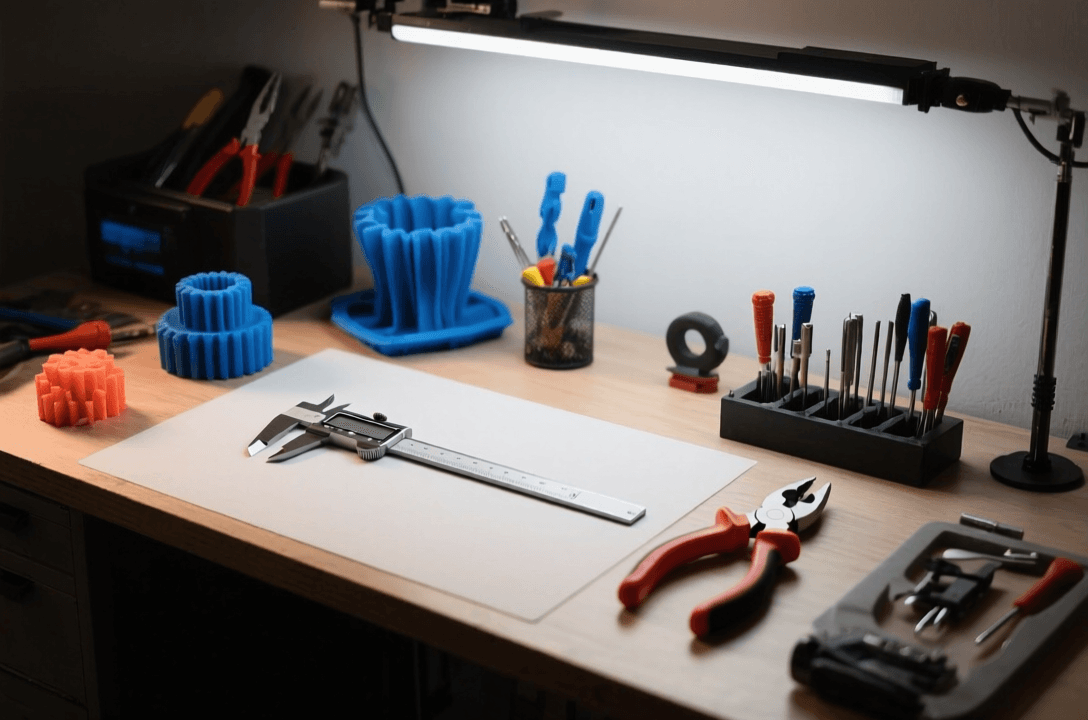
Best 3D Print Support Removal Tools and Techniques
Removing supports from 3D prints is easier with the right tools. Flush cutters, pliers, and specialized tools help you remove supports cleanly without damaging your model. The best tools depend on your print material, support density, and how much time you want to spend post-processing.
This guide covers the most effective support removal tools and techniques, including flush cutters, needle-nose pliers, scrapers, and specialty tools. You will find quick picks, a comparison table, detailed reviews, and practical advice for choosing the right tools for your workflow.
Quick Picks
- Best Overall: Xuron 170-II Flush Cutters
- Best Budget: CRAFTSMAN Diagonal Cutting Pliers
- Best for Intricate Prints: Revell 3-piece Plier Set
- Best for Tough Supports: Dremel Multi-Max Oscillating Tool
Comparison Table
| Tool | Type | Best For | Price Range | Skill Level |
|---|---|---|---|---|
| Xuron 170-II | Flush Cutters | Clean cuts on small supports | $25-35 | Beginner+ |
| CRAFTSMAN Diagonal | Diagonal Pliers | Budget support removal | $10-15 | Beginner |
| Revell Plier Set | Needle Nose | Intricate, detailed prints | $15-20 | Beginner |
| Dremel Multi-Max | Oscillating Tool | Tough, dense supports | $80-120 | Intermediate+ |
| Zona Razor Saw | Small Saw | Large, flat supports | $8-12 | Intermediate |
Best Support Removal Tools
Xuron 170-II Flush Cutters
Best for: Clean, precise removal of small to medium supports on most prints.
The Xuron 170-II is widely regarded as one of the best flush cutters for 3D printing. Its sharp, angled blades cut close to the model surface, leaving minimal nubs. The cushioned grips reduce hand fatigue during long post-processing sessions, and the compact tip reaches into tight spaces where larger tools cannot fit.
- Blade type: Flush cut with angled head
- Capacity: Cuts up to 16 AWG wire and plastic supports
- Material: High-carbon steel
Pros: Extremely sharp blades, comfortable grip, cuts very close to model, durable.
Cons: Not ideal for very thick or dense supports, higher price than budget options.
CRAFTSMAN Diagonal Cutting Pliers
Best for: Budget-conscious users who need reliable support removal without spending much.
CRAFTSMAN diagonal cutters offer solid performance at an affordable price point. While not as precise as dedicated flush cutters, they handle most support removal tasks well. The induction-hardened cutting edges stay sharp through many prints, and the comfortable grip makes them suitable for extended use. A good starter tool for beginners.
- Blade type: Diagonal cut
- Length: 6 inches
- Material: Alloy steel
Pros: Very affordable, durable, widely available, good general-purpose tool.
Cons: Leaves slightly larger nubs than flush cutters, less precise for delicate work.
Revell 3-Piece Plier Set
Best for: Intricate prints, miniatures, and models with supports in hard-to-reach areas.
This Revell set includes needle-nose pliers, side cutters, and flat-nose pliers designed for model building. The long, thin jaws reach into tight spaces and under supports on detailed prints. The tools are lightweight and precise, making them ideal for delicate work where larger tools might damage fine details.
- Includes: Needle-nose, side cutters, flat-nose pliers
- Length: 4.5 to 5 inches each
- Material: Carbon steel
Pros: Great for delicate work, multiple tool types, affordable set, reaches tight spots.
Cons: Not as durable as professional-grade tools, not ideal for thick supports.
Dremel Multi-Max Oscillating Tool
Best for: Removing tough, dense supports or supports on large functional prints.
The Dremel Multi-Max uses oscillating attachments to quickly remove supports without the hand fatigue of manual cutting. The scraping and sanding attachments work well on dense tree supports and tough materials like PETG or ABS. While overkill for simple PLA prints, it shines when processing many parts or working with difficult support structures.
- Type: Oscillating multi-tool
- Speed: Variable, up to 20,000 OPM
- Includes: Scraper, sanding pad, cutting blade
Pros: Very fast on large prints, reduces hand fatigue, versatile for other tasks, handles tough materials.
Cons: Expensive, overkill for small prints, requires careful control to avoid damage.
Zona Razor Saw
Best for: Removing large, flat supports or supports on wide surfaces without scratching the print.
The Zona razor saw features a very thin, fine-toothed blade that cuts through supports cleanly. Unlike scrapers or pliers, the saw removes supports by cutting rather than prying, reducing the risk of damaging the print surface. Particularly useful for removing supports on the bottom of prints or on flat, wide areas.
- Blade length: 5 inches
- Teeth: 42 TPI (teeth per inch)
- Blade type: Razor saw
Pros: Very clean cuts, minimal risk of surface damage, great for flat supports, inexpensive.
Cons: Not ideal for small supports, slower than cutting pliers, requires careful control.
How We Chose These Tools
We selected tools that cover different support removal needs, from delicate miniature work to tough industrial supports. See also: Best Budget 3D Printer Upgrades That Actually Impr…. Evaluation criteria included cutting precision, ease of use, durability, versatility, and value for the intended use case. We prioritized tools that work well with common 3D printing materials like PLA, PETG, and ABS, and that offer a balance between performance and affordability.
Buying Guide
Flush Cutters vs Diagonal Pliers
Flush cutters have an angled head that cuts very close to the model surface, leaving minimal nubs. Diagonal pliers are more general-purpose and leave larger cut marks. For most 3D printing support removal, flush cutters are worth the extra cost because they save time on sanding and cleanup. Choose diagonal pliers only if you need a budget option or a tool for other tasks.
Support Density and Material
Dense supports and tough materials like PETG or ABS require stronger tools. Thin flush cutters may struggle with thick supports and can dull quickly on abrasive filaments like carbon-fiber PLA. For these cases, consider heavier-duty cutters or an oscillating tool with scraping attachments. Light PLA supports can be removed with almost any sharp cutting tool.
Reach and Precision
Prints with intricate details or supports in tight spaces need tools with thin, long tips. Needle-nose pliers and small flush cutters reach under supports and into crevices that larger tools cannot access. Miniatures and highly detailed models benefit most from precision tools, while larger functional prints can use standard-size cutters and pliers.
Comfort and Ergonomics
Support removal can be repetitive work. Tools with cushioned grips and spring-loaded action reduce hand fatigue during long sessions. If you process many prints or run a small production operation, investing in comfortable, ergonomic tools pays off quickly. Cheaper tools without these features may work fine for occasional use but become tiring with heavy use.
Which Option Is Best for You?
For beginners printing occasional PLA models, the CRAFTSMAN diagonal cutters or Revell plier set provide good performance at a low cost. If you print regularly or work with detailed miniatures, the Xuron 170-II flush cutters are worth the investment for their precision and clean cuts. Those processing many prints or working with tough materials should consider the Dremel Multi-Max for faster support removal on large parts.
Frequently Asked Questions
What is the best way to remove supports without damaging the print?
Start with flush cutters or small pliers and cut supports as close to the model as possible. Use needle-nose pliers to grip supports near the base and twist gently to break them free. For stubborn supports, alternate between cutting and prying to avoid putting too much stress on one area.
Can I use regular wire cutters for 3D print supports?
Yes, regular wire cutters can work, but they are not ideal. They typically have thicker blades and do not cut as close to the model as flush cutters, leaving larger nubs that require more sanding. Dedicated flush cutters save time and produce cleaner results.
How do I remove supports from the bottom of a print?
For bottom supports, use a razor saw or thin scraper. Gently work the tool between the support and the print, then rock or slide it to separate them. Avoid prying upward, which can crack delicate parts. A heat gun on low setting can soften the material and make separation easier on some materials like PLA.
Should I remove supports before or after removing the print from the build plate?
It depends on the print. For small prints with light supports, remove them while the print is still secured to the build plate for stability. For large prints with heavy supports, removing the print first can make it easier to access all sides. In either case, support the print with your free hand to prevent flexing or breaking.
How do I remove soluble supports like PVA?
PVA supports dissolve in water. Submerge the print in warm water and let it soak for several hours, occasionally agitating the water. For complex internal supports, use a water pick or soft brush to help remove dissolved material. Dry the print thoroughly afterward, as PVA can absorb moisture from the air and swell.
Final Verdict
The Xuron 170-II flush cutters are the best overall choice for most 3D printing support removal tasks. They offer excellent precision, comfortable ergonomics, and durable blades that stay sharp through many prints. Budget users can start with CRAFTSMAN diagonal cutters or the Revell plier set, while those processing large quantities of prints or working with tough materials will benefit from the speed and power of a Dremel oscillating tool.
Related Reading
- best 3D printers for beginners
- best bed adhesion solutions
- best sandpaper for 3D prints
- best deburring tools
Where to Buy
As an Amazon Associate, we earn from qualifying purchases.
📌 Related Articles
- Best 3D Printer Upgrades That Actually Improve Print Quality: Complete 2026 Guide
- Best Budget 3D Printer Upgrades That Actually Improve Print Quality: Belts, Springs, Hotends & More
- The Current State of Metal 3D Printing in 2020
- ABS 3D Printing Settings Guide: Temperature, Enclosure, and Cooling for Strong Parts
- Bambu Lab P1S vs Bambu Lab P2S: Full Specs Comparison & Buyer’s Guide