
Quick Verdict
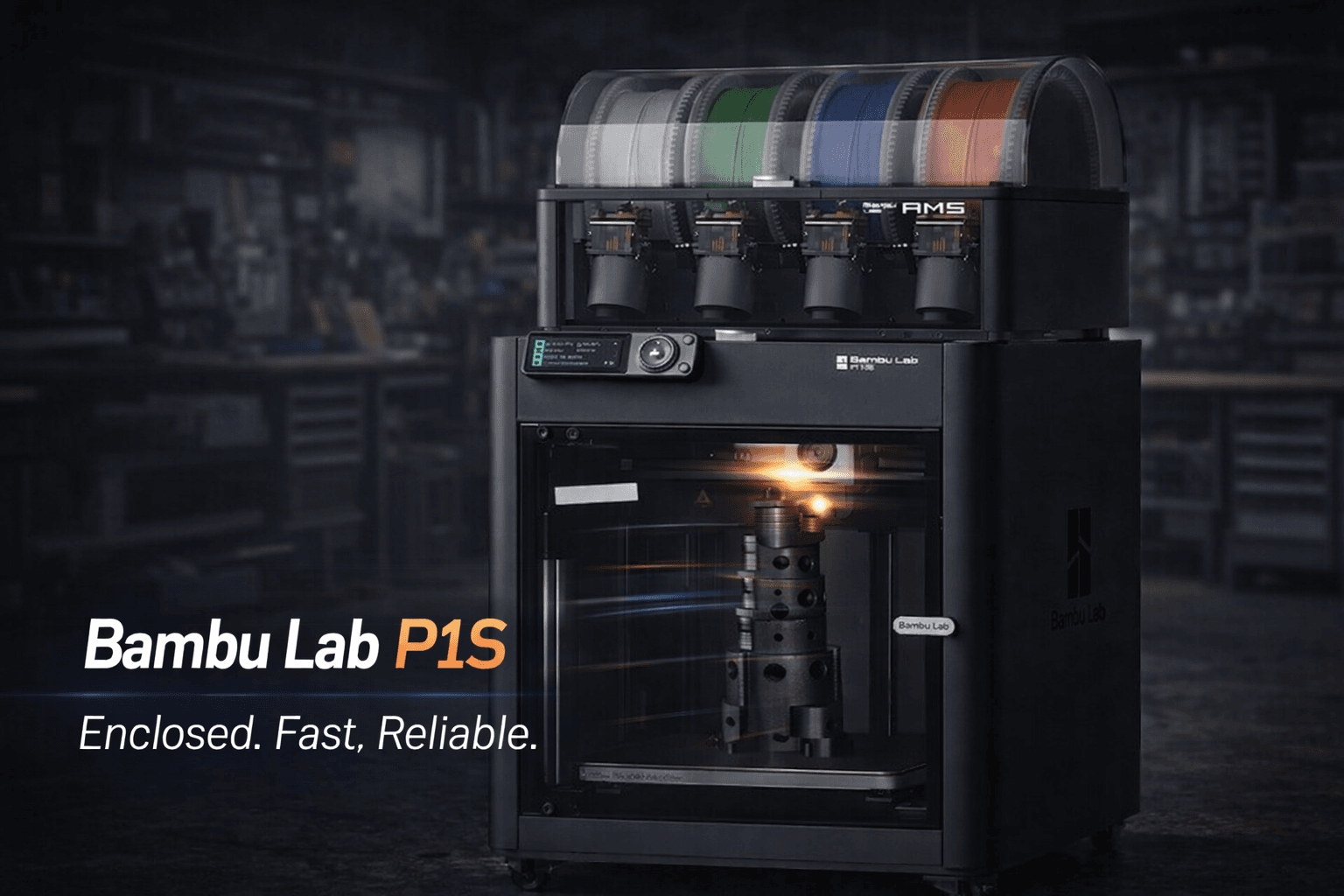
The Bambu Lab P1S is a fully enclosed CoreXY 3D printer built for one thing: fast, consistent prints with minimal tinkering.
You get a 256 × 256 × 256 mm build volume, up to 500 mm/s headline speed (with high acceleration), reliable auto calibration routines, and optional AMS support for up to 16 colors.
If you want the “hit print and walk away” experience without paying X1 Carbon money, the P1S is one of the strongest buys in the 2025–2026 class.
Rating: 9/10
Recommendation: Highly recommended for makers who want reliable high-speed printing and a polished workflow.
Main tradeoffs: noise at full tilt, a basic LCD interface, and a more closed parts ecosystem.
Who This Printer Is For
The P1S is for people who want a turnkey, high-performance printer without the premium price tag of the X1 Carbon.
It’s not the cheapest “learn-the-basics” starter machine, but it’s an excellent upgrade from Ender-style bedslingers and a very strong pick for anyone who values speed, repeatability, and modern slicer integration.
Ideal candidates include:
- Makers who want speed — compress print times dramatically while keeping quality high.
- Multi-color / multi-material curious — add AMS later for convenient spool handling and color swaps.
- Engineering-material users — enclosed build chamber helps with ABS/ASA/Nylon/PC stability.
- Small production / print farms — reliable throughput with remote monitoring.
- People tired of troubleshooting — fewer day-to-day calibration rituals, more “just print”.
If you want the most budget-friendly route into Bambu speed, the P1P can be cheaper but lacks the P1S’s fully enclosed setup.
If you need premium sensors and a touchscreen experience, the X1 Carbon still leads at a higher price.
The P1S is the practical sweet spot.
Check current availability for the Bambu Lab P1S
Specifications
| Feature | Specification |
|---|---|
| Build Volume | 256 × 256 × 256 mm (10 × 10 × 10 inches) |
| Frame Type | CoreXY |
| Enclosure | Fully enclosed, with chamber fans |
| Print Speed | Up to 500 mm/s (high acceleration; real-world depends on material and model) |
| Nozzle Temperature | Up to 300°C |
| Bed Temperature | Up to 120°C (heated PEI spring steel) |
| Layer Resolution | 0.05 – 0.3 mm (typical) |
| Filament Diameter | 1.75 mm |
| Extruder Type | Direct drive (proprietary hotend, 0.4 mm nozzle typical) |
| Multi-Material System | Optional AMS (4 spools standard, expandable to 16) |
| Connectivity | Wi-Fi, Bluetooth, microSD |
| Display | 2.8″ monochrome LCD with D-pad |
| Camera | 1080p timelapse camera (limited framerate) |
| Leveling / Calibration | Automatic routines (first-layer consistency is excellent in practice) |
| Dimensions | 389 × 389 × 458 mm (15.3 × 15.3 × 18 inches) |
| Slicer | Bambu Studio (PrusaSlicer-based) |
| Materials | PLA, PETG, ABS, ASA, Nylon, PC, TPU (material success depends on profiles and handling) |
Specs are compiled from manufacturer listings and widely cited review data available through early 2026. Minor revisions may exist depending on region/batch.
Buy link: Bambu Lab P1S on Amazon
Deep Performance Analysis
Print Quality & Speed
The P1S is known for producing excellent out-of-box quality while still pushing aggressive speeds.
The CoreXY motion system and tuned vibration compensation are the secret sauce: you can move fast without the surface finish turning into a ripple map.
For most real prints, you’ll run “fast” when you need it and “pretty” when it matters, and the P1S handles that switch gracefully.
- Standard — best for consistent, quiet-ish results
- Sport — fast while still very clean for many parts
- Ludicrous — fun for demos and time-sensitive prototypes (material/model dependent)
Keep expectations realistic: TPU and some engineering filaments won’t sustain top headline speeds without compromising quality or strength.
But for PLA/PETG prototyping and functional parts, the throughput is a genuine workflow upgrade.
Automatic Leveling & Calibration
The P1S leans hard into automation. You’re not babysitting bed knobs or hunting Z-offset ghosts every weekend.
The routine at print start is a small tax that usually pays back with consistent first layers and fewer failed prints.
AMS: Multi-Color & Convenience
The optional AMS is both a color engine and a convenience upgrade: it handles loading/unloading cleanly, keeps spools organized, and makes multi-color prints far less annoying than manual swaps.
The tradeoff is purge waste. If you print multi-color often, you’ll want a purge management strategy (and maybe a printed chute guide).
Software & Slicing
Bambu Studio is one of the reasons the printer feels “appliance-like.” Profiles, remote printing, job management, and multi-color tools are all designed to reduce friction.
If you’ve used PrusaSlicer, you’ll feel at home quickly.
Reliability & Maintenance
Reliability is where the P1S earns its reputation. It’s generally consistent across long runs, and the system does a good job surfacing problems before they become print-killers.
Maintenance is mostly sensible basics: keep the bed clean, keep an eye on wear parts, and replace hotend/nozzle assemblies when needed.
Noise
At full speed, the P1S is not a silent roommate. CoreXY motion and enclosure fans make themselves known.
If you plan to print near a living space, you’ll probably use slower profiles during quiet hours.
Real Use Cases
- Rapid prototyping — iterate faster, test more, scrap less.
- Functional prints — durable parts with tuned profiles and enclosure benefits.
- Cosplay/props — consistent large-ish parts in a reliable workflow.
- Small-batch production — queue jobs and monitor remotely.
- Multi-color models — clean swaps without constant manual intervention (with AMS).
Strengths
- High throughput — fast prints without the usual chaos.
- Strong first-layer consistency — reduced setup pain.
- Enclosed design — better stability for ABS/ASA and other tricky materials.
- AMS ecosystem — multi-color and spool management done well.
- Polished workflow — Bambu Studio + remote control is a productivity boost.
- PEI spring steel bed — reliable adhesion and easy release.
Weaknesses
- Noise — especially at higher speed modes.
- Basic onboard UI — the monochrome LCD feels dated.
- More closed ecosystem — some wear parts are proprietary and ecosystem-tied.
- AMS purge waste — multi-color printing creates extra material waste.
- Camera limitations — timelapse is useful, but not cinematic.
Competitor Comparison
vs Bambu Lab X1 Carbon
The X1 Carbon adds premium sensors and a more luxurious interface. The P1S delivers the core experience at a better value for most buyers.
If you don’t need the top-tier extras, P1S is the smarter spend.
vs Creality K1
The K1 targets similar “fast enclosed CoreXY” buyers. See also: Best 3D Printer Upgrades That Actually Improve Pri…. The P1S typically wins on polish and workflow cohesion, while the K1 can appeal to users who prioritize tinkering flexibility.
vs Creality K2 Plus Combo
K2 Plus Combo plays the “bigger machine, bigger ambitions” card, especially if you want large-format multi-color.
The P1S is the compact, refined productivity tool. Choose based on build volume needs and ecosystem preference.
Verdict
The Bambu Lab P1S is one of the most compelling “stop tinkering, start printing” machines in the current market.
It’s fast, consistent, and backed by a mature software workflow that makes 3D printing feel less like a hobby project and more like a tool.
If you can live with the noise and prefer convenience over open-ended modding freedom, it’s a top-tier choice for 2026.
Prefer text links instead?
View the Bambu Lab P1S listing here.
FAQ
Is the Bambu Lab P1S good for beginners?
It’s not the cheapest first printer, but it’s beginner-friendly in the ways that matter: fewer calibrations, more successful prints.
If you’re willing to pay for convenience, it can be a very smooth entry point.
Is the AMS worth it?
If you want multi-color or you simply want easier filament management, yes. If you print single-material functional parts all day, it’s optional.
AMS shines when you value convenience and aesthetics, and accept the purge waste tradeoff.
Can I use third-party filaments?
Yes. Many third-party filaments work well, especially with tuned profiles. The main thing you lose is RFID-based auto-detection (where applicable).
How loud is it, really?
Audible. Not jet-engine, but “you’ll notice it.” High-speed motion plus enclosure fans means it’s best in a workshop or a room where noise is acceptable.
What’s the biggest downside?
For most buyers: noise, a basic onboard interface, and a more closed parts ecosystem compared to fully open platforms.
Related Resources on 3dput.com
- 3D Printer Comparison Tool
- Filament Settings Database
- Best Beginner Printers
One last link for the road: Bambu Lab P1S on Amazon
Frequently Asked Questions
Why is 3D printer calibration important?
Calibration ensures dimensional accuracy, proper layer adhesion, and consistent print quality. Without it, parts may have fitting issues, poor surface finish, or structural weaknesses. Regular calibration compensates for mechanical wear and environmental changes.
How often should I calibrate my 3D printer?
Calibrate after any hardware changes, when switching filaments, or if you notice quality degradation. A basic bed level check before each print is good practice, while full calibration (e-steps, flow rate, PID tuning) should be done monthly or after maintenance.
📌 Related Articles
- Creality Creality Ender 3 V3 Plus vs Creality Ender 3 Pro: Full Specs Comparison & Buyer’s Guide
- Best 3D Printer Upgrades That Actually Improve Print Quality: Complete 2026 Guide
- ABS 3D Printing Settings Guide: Temperature, Enclosure, and Cooling for Strong Parts
- Bambu Lab A1 vs Elegoo Centauri Carbon: Full Specs Comparison & Buyer’s Guide
- Best Budget 3D Printer Upgrades That Actually Improve Print Quality: Belts, Springs, Hotends & More