
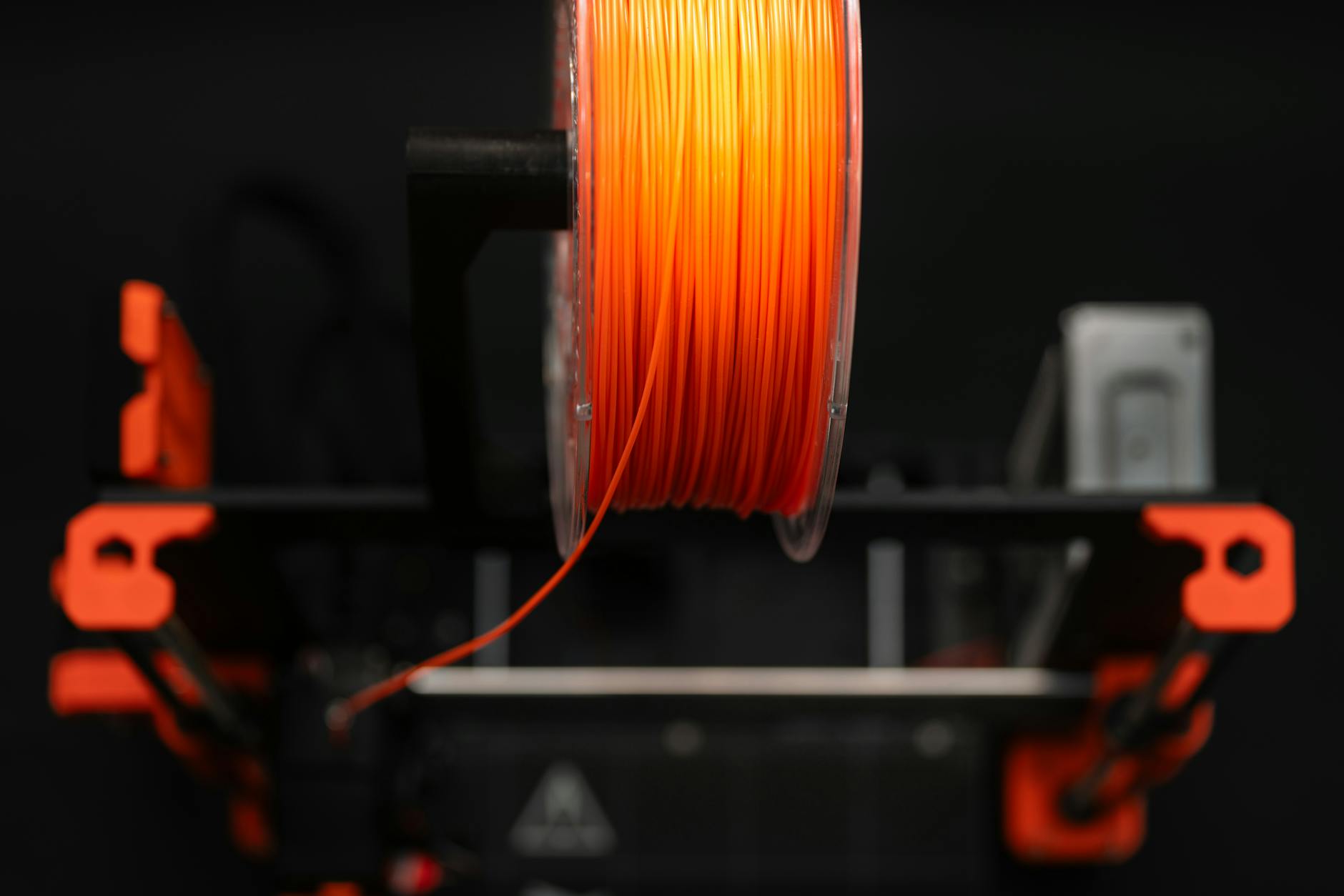
ASA (Acrylonitrile Styrene Acrylate) is a weather-resistant, UV-stable engineering filament built for outdoor 3D printing. For reliable results: print at 240–260°C with a 90–110°C heated bed, use an enclosure, keep cooling low, and use a bed adhesive. Think “ABS for the outdoors” with better UV stability and long-term durability.
Quick Start (If You Only Read One Box)
- Nozzle: 250°C (range 240–260°C)
- Bed: 105°C (range 90–110°C)
- Cooling fan: 0–20% (only add more for tiny parts/overhangs)
- Speed: 30–50 mm/s (start ~40 mm/s)
- Adhesion: Brim (10–15 loops) + adhesive (Magigoo/Stick Stick/slurry)
- Enclosure: Strongly recommended (especially for large parts)
- Ventilation: Required (styrene fumes)
Introduction: Why Choose ASA?
If you’re planning to 3D print anything meant to live outside (garden fixtures, automotive parts, outdoor tool handles, signage, or architectural components), ASA filament should be at the top of your list. ASA is an engineering thermoplastic designed specifically to withstand sunlight, weather, and temperature swings.
ASA shares many characteristics with ABS, but with one major upgrade: excellent UV and weather resistance. Where ABS can yellow and degrade after months in the sun, ASA maintains its color and strength far longer. That’s why it’s a favorite for functional outdoor prints.
Bottom line: If you need a print that will survive sun, rain, and real-world outdoor abuse, ASA is a top-tier choice.
Section 1: ASA Properties at a Glance
| Property | Typical Value | Notes |
|---|---|---|
| Print Temperature | 240–260°C (often ~250°C) | Start at 250°C, adjust ±5°C |
| Bed Temperature | 90–110°C (minimum ~80°C) | Heated bed is essential |
| Cooling Fan | Off or very low (0–20% typical) | Too much fan causes splitting/warp |
| Print Speed | 30–50 mm/s | Start slower for stability |
| Enclosure | Highly recommended | Reduces cracking & warping |
| Moisture Sensitivity | Mildly hygroscopic | Dry if popping/bubbles appear |
| Fumes | Noticeable (styrene) | Ventilation strongly recommended |
| Glass Transition Temp | ~105°C | Good heat tolerance |
| UV Resistance | Excellent | Won’t yellow like ABS |
| Impact Strength | High | Tough and durable |
Section 2: Printer Requirements ASA Demands
Before you even load the filament, make sure your setup is ready. ASA is less forgiving than PLA or PETG.
Essential: Heated Bed
A heated bed is non-negotiable. ASA needs consistent 90–110°C bottom heat to stick properly and prevent warping. If your printer doesn’t have a heated bed, skip ASA for now.
Strongly Recommended: Enclosure
An enclosure dramatically improves ASA prints by keeping warm air in, blocking drafts, and maintaining stable ambient temperature. This reduces warping and layer splitting, especially on larger parts.
Ventilation
ASA can release styrene fumes during printing. Print in a well-ventilated area, ideally with an enclosure and active filtration (activated carbon) or an exhaust route outdoors. Avoid printing ASA in living spaces.
Section 3: First Layer – The Foundation of Success
With ASA, the first layer is everything. Two things matter most:
1) Bed Leveling
Your bed should be level within about 0.1mm across the surface. Use your printer’s leveling system or manually adjust until the nozzle gap is consistent. The “paper test” works: you should feel slight resistance when sliding paper under the nozzle.
2) Nozzle Height
Too high means poor adhesion. Too low means over-squish and messy extrusion. Watch the first lines: they should stick firmly and look slightly flattened, not gouged or overly thin. Live-adjust Z during the skirt/brim if needed.
Section 4: Bed Adhesion Strategies (Warping Prevention)
Warping is the #1 ASA problem, caused by uneven cooling and poor first-layer bonding. Here’s how to fight it:
Use a Brim
Start most ASA prints with a brim (10–15 loops). It adds surface area, anchors corners, and resists lift.
Apply Adhesive
Adhesives help a lot with ASA. A thin, even layer of a technical bed adhesive (e.g., Magigoo for engineering materials) often prevents corner lift.
Alternative option: an ASA/ABS slurry (a small amount of ASA dissolved in acetone and brushed on the bed). Use carefully, and only where safe/appropriate.
Choose the Right Build Surface
- PEI sheets – excellent and reusable
- Glass – works well with adhesives
- Kapton tape – heat-resistant surface option
- Painter’s tape – cheap, replaceable (varies by printer/bed temp)
Keep it clean: wipe the surface with isopropyl alcohol between prints for consistent adhesion.
Section 5: Temperature Settings Deep Dive
Getting temperatures right is critical. Start here, then tune:
Recommended baseline: Nozzle 250°C, Bed 105°C, Fan 0–20%
- Too cold → poor layer bonding, warping, possible clogs
- Too hot → stringing, oozing, rougher overhangs
First layer trick: add +5°C to nozzle and bed for the first layer, then return to normal values if you want cleaner surfaces.
Section 6: Cooling – Less is More
ASA likes slow, even cooling. Run the part cooling fan at 0% whenever possible (or very low for small parts/overhangs).
- Layer splitting and cracking
- Warping (especially corners)
- Weaker interlayer adhesion
If you must use cooling, keep it minimal (10–30%) and consider enabling it only after the first few layers.
Section 7: Common Problems & Solutions
Warping / Curling Corners
Causes: poor adhesion, drafts, bed too cool, fan too high, not enough brim.
- Increase bed temperature 5–10°C
- Add a brim (or raft for extreme cases)
- Use stronger adhesive or PEI
- Use an enclosure to block drafts
- Re-check first layer Z height
Layer Splitting / Cracking
Causes: cooling too fast, enclosure temperature swings, fan too high.
- Print in an enclosure (especially for larger parts)
- Disable or reduce cooling fan
- Increase nozzle temperature by 5°C
- Reduce drafts (doors, windows, HVAC)
Stringing / Oozing
Causes: nozzle temp too high, retraction not tuned.
- Lower nozzle temperature by 5–10°C
- Increase retraction distance (about 1–2mm direct drive, 4–6mm Bowden)
- Increase retraction speed (often ~40–50 mm/s)
- Enable wipe / coast (slicer dependent)
Nozzle Clogs
Causes: not hot enough, contaminated nozzle, residue from lower-temp materials.
- Purge thoroughly when switching from PLA/PETG
- Heat to ~260°C and manually extrude a bit
- Cold pull / nozzle cleaning as needed
- Use consistent, reputable filament
Bubbles / Pits / Rough Surface
Cause: moisture in filament.
- Dry filament (around 65°C for 4–6 hours)
- Store airtight with desiccant
- Use a dry box during printing if needed
Section 8: Filament Storage & Handling
ASA is mildly hygroscopic. Wet ASA prints poorly (popping sounds, bubbles, weak layers).
Storage Rules
- Store in an airtight container with desiccant packs
- Keep in a cool, dark place (avoid direct sunlight)
- For long-term storage, vacuum-seal bags work well
If Your ASA Is Wet
- Dry in a filament dryer (around 65°C for 4–6 hours)
- A convection oven can work but requires careful monitoring
- Best: prevent moisture exposure in the first place
Section 9: Post-Processing ASA
ASA finishes nicely and can look “manufactured” with a little effort.
Removing from the Bed
Let the bed cool fully to room temperature. ASA contracts as it cools and often releases cleanly from PEI and glass. Use a spatula only if needed.
Smoothing & Sanding
ASA can be acetone vapor smoothed (similar to ABS). For sanding: start 120–200 grit, then 400–600, then wet sand 800–1000+ for a glossy finish.
Painting & Gluing
ASA accepts acrylic and enamel paints well (light sanding and primer help). For bonding, use CA glue, two-part epoxy, or acetone welding. Sand contact surfaces for best adhesion.
Section 10: Pros and Cons – Is ASA Right for You?
Advantages
- Outstanding UV resistance (won’t yellow outdoors)
- High impact strength (tough and durable)
- Good chemical resistance (fuels, oils)
- High heat resistance (glass transition ~105°C)
- Weatherproof (built for outdoor use)
- Dimensional stability (often less finicky than ABS)
Disadvantages
- Requires advanced setup (heated bed + enclosure)
- Emits fumes (needs ventilation/filtration)
- More expensive than PLA/PETG
- Fewer color options than PLA (varies by brand)
- Needs tuning (warping/splitting possible)
Section 11: Who Should Use ASA?
Choose ASA if…
- You’re printing outdoor parts (garden, automotive exterior, enclosures)
- You need strength and impact resistance
- You have a heated bed and enclosure
- You can ventilate/filter fumes
- You’re comfortable tuning adhesion
Avoid ASA if…
- You’re brand-new to 3D printing (start with PLA/PETG)
- You don’t have a heated bed
- You can’t print in a ventilated area
- You need the cheapest filament possible
- You want maximum color variety
Section 12: ASA vs. Other Filaments
ASA vs. ABS
- ASA is UV-stable; ABS yellows and degrades outdoors
- Both need enclosure + high bed temps
- ASA is typically the better “outdoor ABS” choice
ASA vs. PETG
- PETG is easier to print and often doesn’t need an enclosure
- ASA is usually better for long-term UV/weather exposure
- PETG is more flexible; ASA more rigid and heat tolerant
ASA vs. PLA
- PLA is easiest, but weak against heat and UV
- ASA is stronger, more durable, and outdoor capable
- PLA for prototypes and décor; ASA for real outdoor parts
Section 13: Safety First
Ventilation matters. ASA can release styrene vapors during printing. Avoid prolonged exposure and do not print in living spaces without filtration/exhaust.
- Print in a separate room away from living spaces
- Use an enclosure with an exhaust fan routed outdoors
- Consider an air filter with activated carbon
- Keep windows open if printing indoors
- Avoid inhaling fumes directly
High Temperatures
Nozzle temperatures around 250°C can burn skin and increase fire risk. Keep flammables away from the printer and avoid touching the hotend during operation.
Proper Storage
Store ASA sealed, dry, and out of sunlight to maintain quality.
Section 14: Recommended ASA Filament Brands
Stick with reputable brands for consistent diameter, reliable pigmentation, and predictable print behavior.
- MatterHackers ASA – consistent prints, good colors
- ColorFabb LW-ASA – lightweight option for large parts
- 3DXTECH ASA – high-performance focus
- eSun ASA – budget friendly, widely available
- Prusament ASA – premium tolerance and consistency
Always check the manufacturer’s recommended temperatures and drying guidance for your specific spool.
Section 15: Real-World Applications
- Automotive: mirror housings, mounts, exterior brackets
- Garden & outdoor: handles, planters, irrigation parts
- Signage: durable weatherproof labels and housings
- Architecture: vent covers, custom trim, outdoor fixtures
- Outdoor enclosures: electronics housings, camera/sensor mounts
- Marine: fittings and mounts (verify chemical exposure needs)
- Sports: bike accessories, rugged brackets, protective parts
Section 16: Quick-Start Checklist
Printer Prep
- Bed heated and leveled
- Enclosure installed and closed
- Ventilation or filtration running
- Bed adhesive applied (or PEI cleaned)
- Nozzle clean (no leftover PLA/PETG)
- Cooling fan off or very low
Slicer Settings
- Nozzle temp: 250°C (±5°C)
- Bed temp: 105°C (min 90°C)
- Brim enabled (10–15 loops)
- Speed: start ~40 mm/s
- Retraction tuned (direct vs Bowden)
- Fan: 0–20% (raise only if needed)
Material Prep
- Filament dry (or dried if popping/bubbles)
- Dry storage ready with desiccant
- Spool feeds smoothly without drag
Section 17: Next Steps & Resources
ASA is an intermediate filament, but once your setup is dialed in, it becomes very repeatable. Start with small test prints (calibration cube, temperature tower, retraction test) before committing to large outdoor parts.
Further Reading
- MatterHackers: “How To Succeed When 3D Printing With ASA Filament”
- 3D Trček: “How to Print ASA Filament: A Practical Guide”
- 3DSourced: “ASA Filament: The Complete 3D Printing Guide”
(Standalone)
ASA is one of the best filaments for outdoor 3D printing. Print around 250°C with a 105–110°C bed, use an enclosure, keep cooling low, and use adhesive + a brim to prevent warping. It’s strong, UV-stable, and weatherproof.
Summary Table: Key Settings at a Glance
| Setting | Recommended Value |
|---|---|
| Nozzle Temperature | 250°C (range 240–260°C) |
| Bed Temperature | 105°C (minimum 90°C) |
| Cooling Fan | 0–20% (increase only if needed) |
| Enclosure | Strongly recommended (best results) |
| Bed Adhesion | Brim + adhesive (or PEI tuned) |
| Print Speed | ~40 mm/s (30–50 mm/s range) |
| Retraction | 1–2mm direct drive / 4–6mm Bowden (tune) |
| Storage | Airtight with desiccant |
| Ventilation | Essential (styrene fumes) |
Final Thoughts
ASA isn’t the easiest filament, but for outdoor applications it’s one of the best choices available. With a heated bed, enclosure, and proper ventilation, you’ll get strong, weatherproof parts that can handle real sun-and-rain life.
Start with small calibration prints, dial in temperatures and adhesion, then scale up confidently to your garden fixtures, car parts, and outdoor enclosures. Once it’s tuned, ASA becomes impressively reliable.
Happy printing and enjoy the outdoors with parts that actually last.
Sources
- MatterHackers: “How To Succeed When 3D Printing With ASA Filament”
- 3D Trček: “How to Print ASA Filament: A Practical Guide for Durable Prints”
- 3DSourced: “ASA Filament: The Complete 3D Printing Guide”
- Eolas Prints: “A Guide to ASA Filament Printing”
- ColorFabb: “How to Print with LW-ASA Filament”